

formbase is now Formstep. Old formbase.so links still work.

Formstep

Zapier app

Customer approvals and forms from a Zap

A Zap sends one customer a prefilled form, with a Decision question when you need a verdict. When they answer, another Zap starts with their answers and the outcome: approve, decline or changes.

Approval by Zapier is gone

Zapier discontinued Approval by Zapier in February 2023. Tables and Interfaces cover approvals inside your team, not a customer with no Zapier account.

How it works

  1. Create Request in any Zap: pick the form and the recipient, fill in what you know, and add questions to Read-only fields to lock them.
  2. Formstep emails the link, or a later step sends the Request URL.
  3. Request Completed starts a second Zap with every answer, keyed by field key, and the outcome for a Filter or Paths. Request Expired and Request Canceled cover the rest.
See the full guide

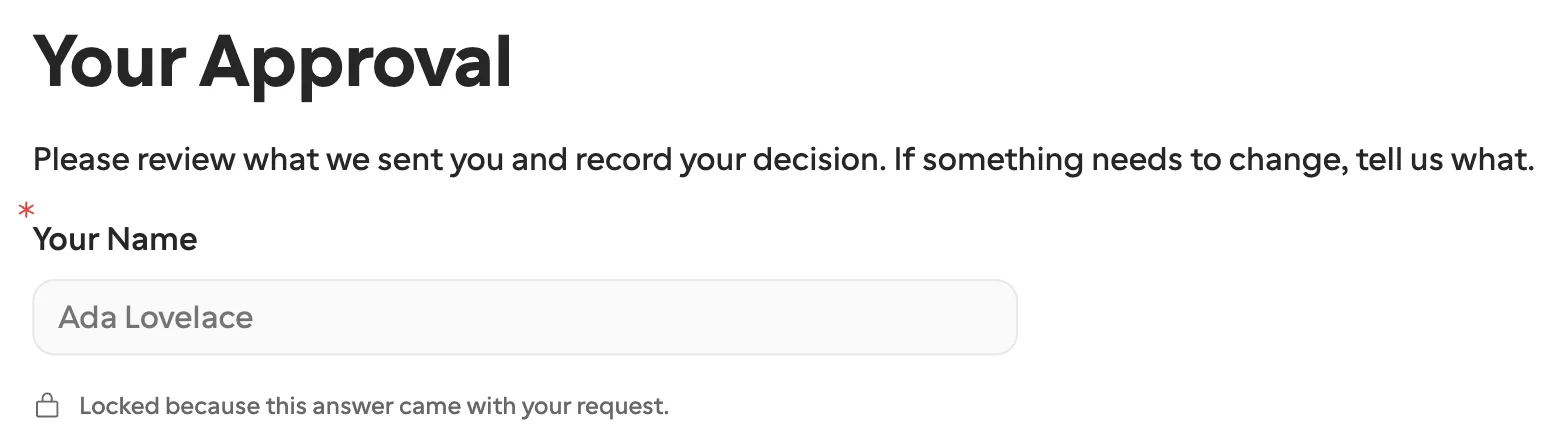
The request form with Your Name showing Ada Lovelace in a greyed-out field and the note: Locked because this answer came with your request
What the recipient sees: their name filled in by the Zap, and locked.

Find Request, Remind Request and Cancel Request manage a request by your External ID, which also keeps a replayed step from creating a second one.

Questions

Does the customer need a Zapier or Formstep account?
No. The recipient opens a link and completes the form. They never sign in.
What happens if the customer never answers?
The request expires, after 30 days unless you set another date, and the Request Expired trigger starts a Zap. On Pro and Business, Formstep emails reminders before that.
Which Zapier plan do I need?
Any Zapier plan can connect Formstep. Filters, Paths and Zaps with more than two steps depend on your Zapier plan, not on Formstep.

Start free

Give your workflow a customer step.

Publish a sample form, answer it on your phone as the customer, and watch the callback arrive. No account needed.