

Reminders you never have to send.
Turn on a schedule once. Formstep follows up with anyone who goes quiet, on a request or on a public form they left half finished, and stops the moment they finish.
Updated
How the schedule runs
Pick up to five steps from 12 hours, 1 day, 3 days, 1 week and 2 weeks. Each step counts from the person’s last activity, not from the day you sent the request, and new activity starts the schedule over. Reminders stop the moment the request is completed, expired or canceled.
Two ceilings keep a schedule from turning into spam: one request gets at most eight reminders, automatic and manual together, and one address gets at most ten emails a day per form. Each reminder goes out within 15 minutes of its step.
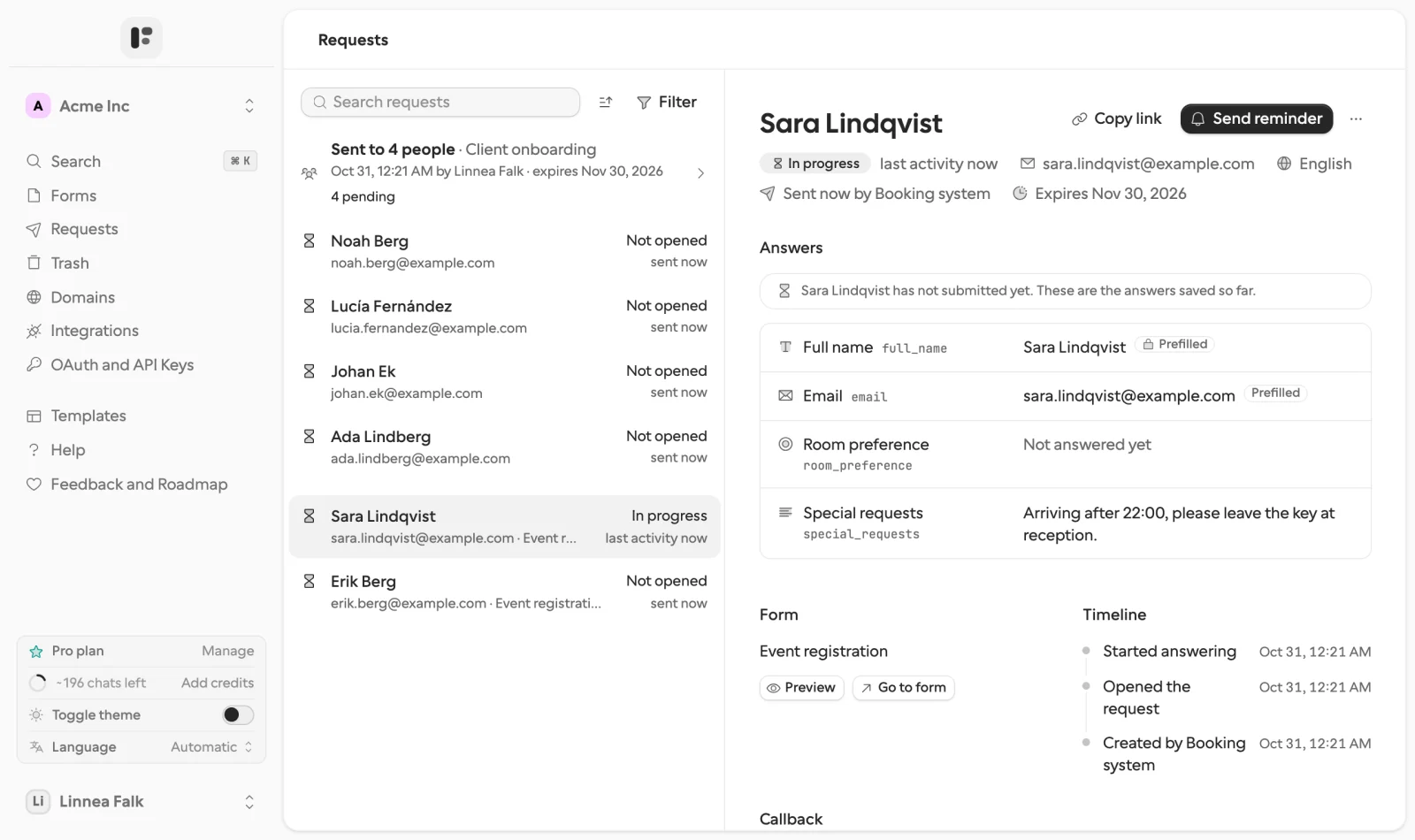
The Requests page: who has not opened, who is in progress, the answers saved so far, and Send reminder for chasing someone now.
Two kinds of people it reminds
- The recipient of a request who has not submitted. The reminder carries the same request link, so whatever they entered is still there when they come back.
- A respondent on a public share link who started and did not finish. On Pro and Business, answers save as they go, and the reminder brings them back to the same draft on any device. The form needs a question that holds their email address, and you can tell the schedule to wait until that question is answered.
In your name, in their language
Reminders come from your own email sending domain once you verify one, with a subject and body you write. Mention a prefilled or context value, such as the person’s name or the case number, and each email reads as if you wrote it. If the form has translations, the email follows the request’s language.
Per request, or right now
A workflow gives a request its own schedule when it creates it: "reminders": ["2d", "5d"], or [] for none. Its own schedule applies even when the form’s reminders are off. To chase someone now, select Send reminder on the request page or call requests.remind, and the schedule continues as before.
When waiting stops making sense
Every request expires: after 30 days unless you say otherwise, and no later than a year. The link then shows a short notice instead of the form, the status turns expired, and the callback tells your workflow, so a case never waits forever. The document collection template runs on exactly this: reminders until every file is in, and an expiry that closes the case if they never come.
What it costs
Reminders are part of Pro and Business, with invitation emails and sending from your own domain. On Free you create requests and send the link yourself, and Formstep emails your first ten invitations to your own address, so you can see what the person would get.
From a workflow
Why not just use a form builder? counts who chases the customer as one of six things a public form leaves to you. The n8n walkthrough and the Zapier approval guide show a workflow that pauses, lets Formstep do the reminding, and resumes when the answer arrives.
