

Send the form already filled in.
A request carries what you already know about the person: their name, their company, the amount on the invoice. They check it, correct what changed and add what is missing, and what must not change is locked.
Updated
What the recipient sees
Your form, in your brand and their language, with their values already in the fields. A prefilled answer is editable, so they correct what changed since you last heard from them. A locked answer shows the value with the note “Filled in by the sender”, and nothing they do changes it. There is no account and no captcha: the link already knows who it is for.
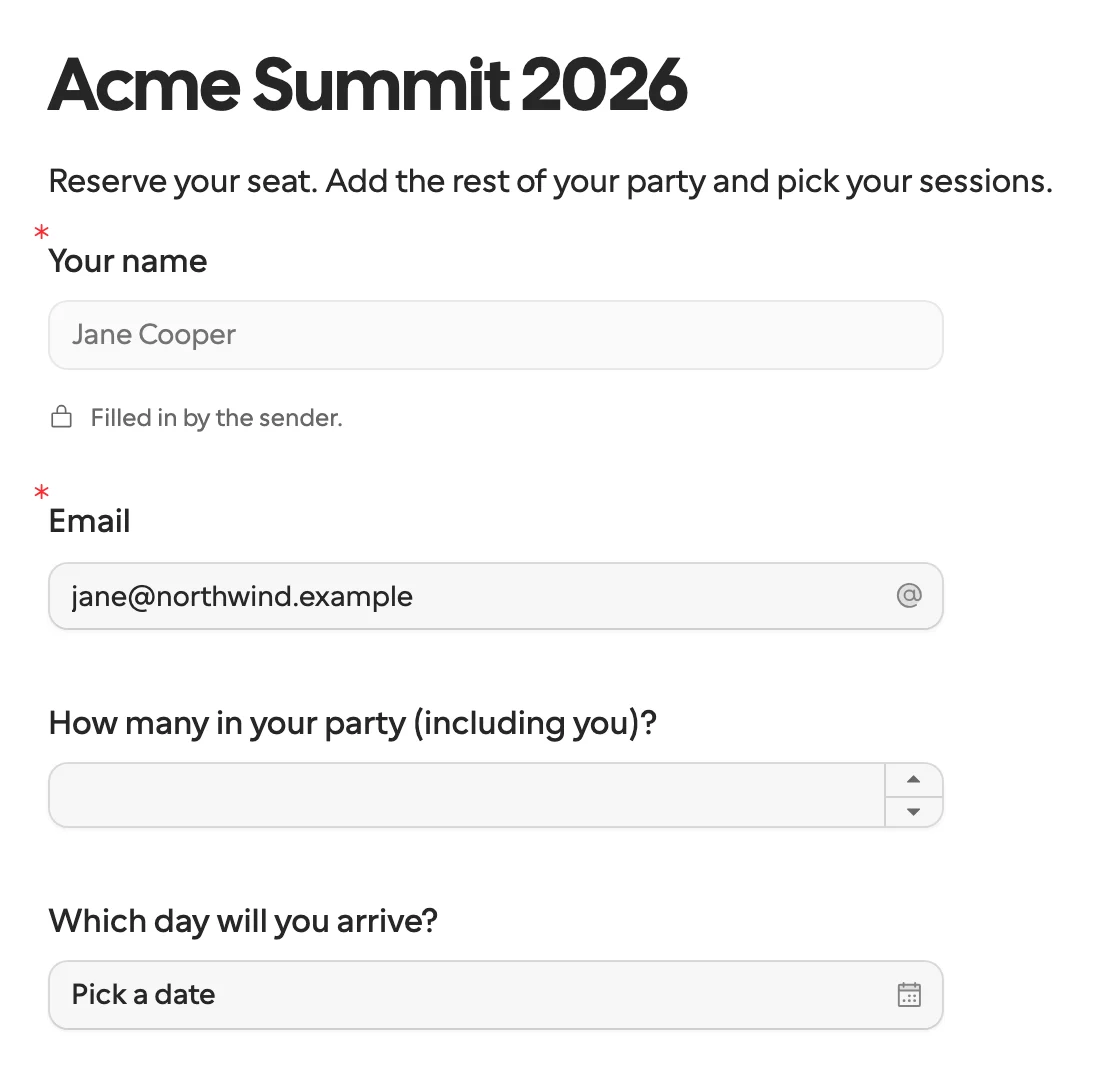
Four kinds of value
A request carries four kinds of value. Each answers a different question, and mixing them up is the most common first mistake.
| Value | What it is for | The recipient | Comes back |
|---|---|---|---|
| Prefill | Starting answers for visible questions: the company name from your CRM, last year’s figures | Sees it and can change it | As an answer |
| Locked field | A prefilled answer they only confirm: a contract number, an agreed price | Sees it and cannot change it | As an answer |
| Request context | Values for hidden fields, such as a case number, that logic, calculations and email text can use | Sees it only where you mention it | Unchanged, with the answers |
| Request metadata | Your own bookkeeping: a workflow run id, a CRM record id | Never sees it | In every callback |
Where the values come from
- Typed in. The New request sheet lists the form’s fields under What they see. Fill in what you know, and select Lock on anything that must not change.
- A list. A bulk send takes a CSV whose columns are named after field keys, so each person on the list gets their own values. Up to 500 people per send, on Pro and Business.
- A workflow. An n8n workflow or a Zap reads the person in your CRM and passes the values when it creates the request. The two-form workflow templates do exactly that, from HubSpot.
- Code or an AI agent.
fields.listreturns the form’s field keys, what each one takes and the option keys of every choice.requests.createsends the request withprefill,readonlyandcontext. An agent uses the same two calls over MCP.
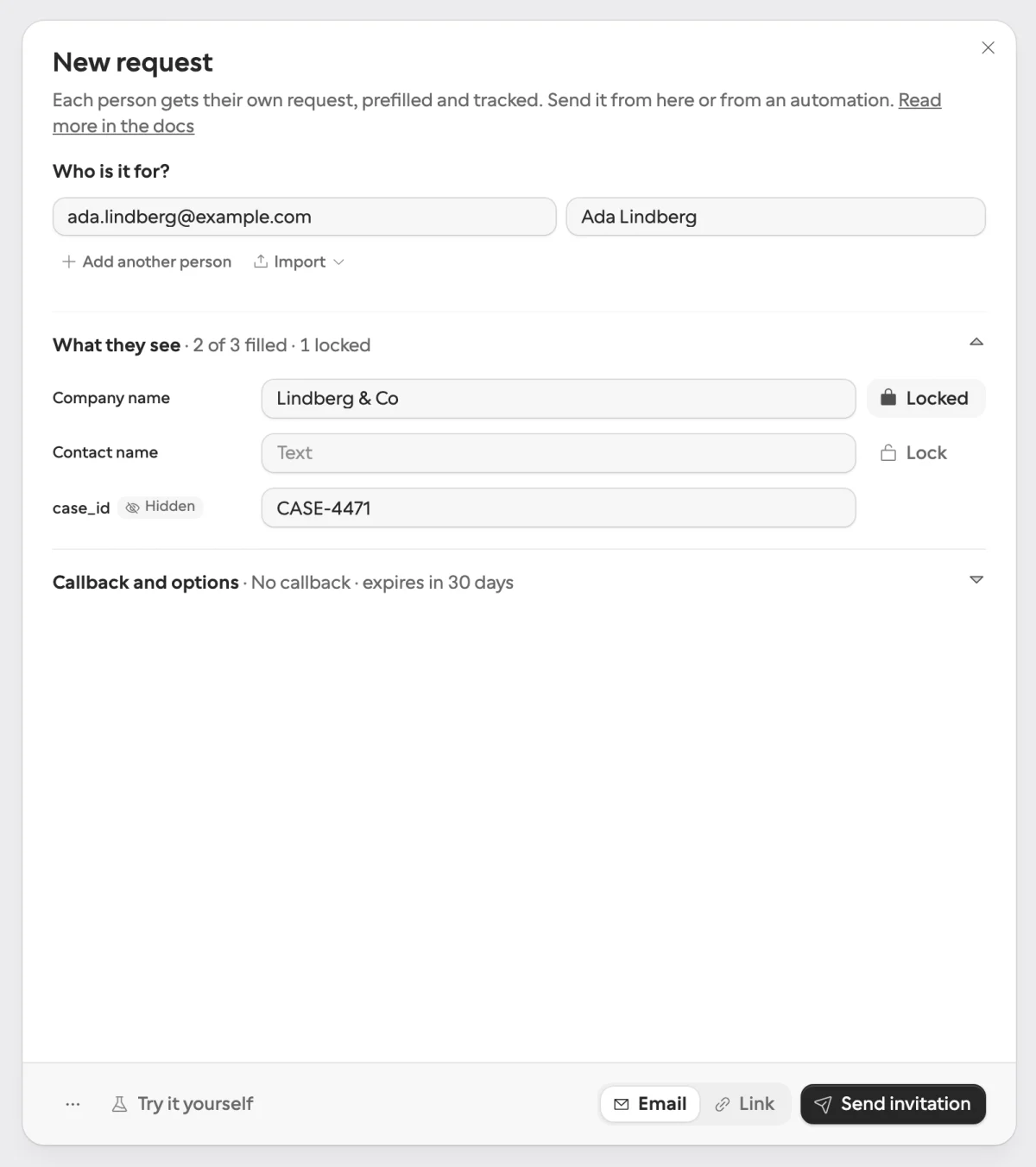
The New request sheet: two of three fields filled in, the company name locked, and a hidden case id the person never sees.
{
  "method": "requests.create",
  "params": {
    "formId": "j57...",
    "recipient": { "email": "ada@acme.example", "name": "Ada Lovelace" },
    "prefill": { "company_name": "Acme Ltd", "contact_email": "ada@acme.example" },
    "readonly": ["company_name"],
    "context": { "case_id": "CASE-4471" },
    "delivery": "email",
    "callbackUrl": "https://automation.example/webhook/CASE-4471"
  }
}
Why not a public link with the values in the URL?
Most form tools prefill through the address: ?name=Ada&amount=1420 on a public link. Three things go wrong. Anyone who has the link can change the values. The values are visible to anyone the link is forwarded to. And the form still has no idea who answered, so your workflow matches the submission back to the person by hand.
A request link is for one person. It ignores URL parameters, the prefill travels with the request rather than in the address, and the answers come back tied to that recipient. Why not just use a form builder? goes through the six gaps one by one.
What cannot be prefilled
Files, signatures, payments, bookings and the documents you ask them to read: the recipient supplies those. A calculated field works out its own value, and a hidden field takes request context instead. Text, numbers, dates and times, choices, switches, matrices and repeating groups all take prefill. Creating a request lists what each field type takes.
What comes back
Every answer returns under its field key, whether the person typed it or you sent it, together with the context unchanged and your metadata. On the request page, a prefilled answer carries a Prefilled mark, so an operator can see what came from you. The same keys arrive on every request of that form, in every language, so the step after the form never needs to change.
Start from a template
- Vendor onboarding: company, tax and bank details, with the company name from your records locked.
- Client intake and onboarding: prefilled from a HubSpot contact, whose answers update it.
- Invoice verification: what your AI or OCR step read from the invoice, prefilled for the supplier to confirm.
- Approval: the approver’s name and company locked, with a decision and a signature.
