

Slack approval workflow vs a request for outside approvers
A Slack approval workflow is the right call for colleagues. For a client, vendor or tenant outside your Slack, a request fits better. Checked 5 November 2026.
By Onur Hakbilen, founder of Formstep · Published
I build a product that competes with this workaround, so let me say it plainly: if the person answering is a colleague, a Slack approval workflow wins. They are already there, a button is one click, and the answer lands where your team is talking. You do not need Formstep for that, and I would not sell it to you.
The trouble starts when the pattern stretches to someone who is not on your Slack: a client approving a quote, a vendor confirming bank details, a tenant agreeing to a date. This post shows where that line sits, using Slack’s and n8n’s own documentation, read on 5 November 2026.
Slack buttons or a request?
Use Slack buttons when the person is a colleague with a Slack account and the decision is a yes or no about something they can see in the message: a refund over a limit, a deploy, a discount.
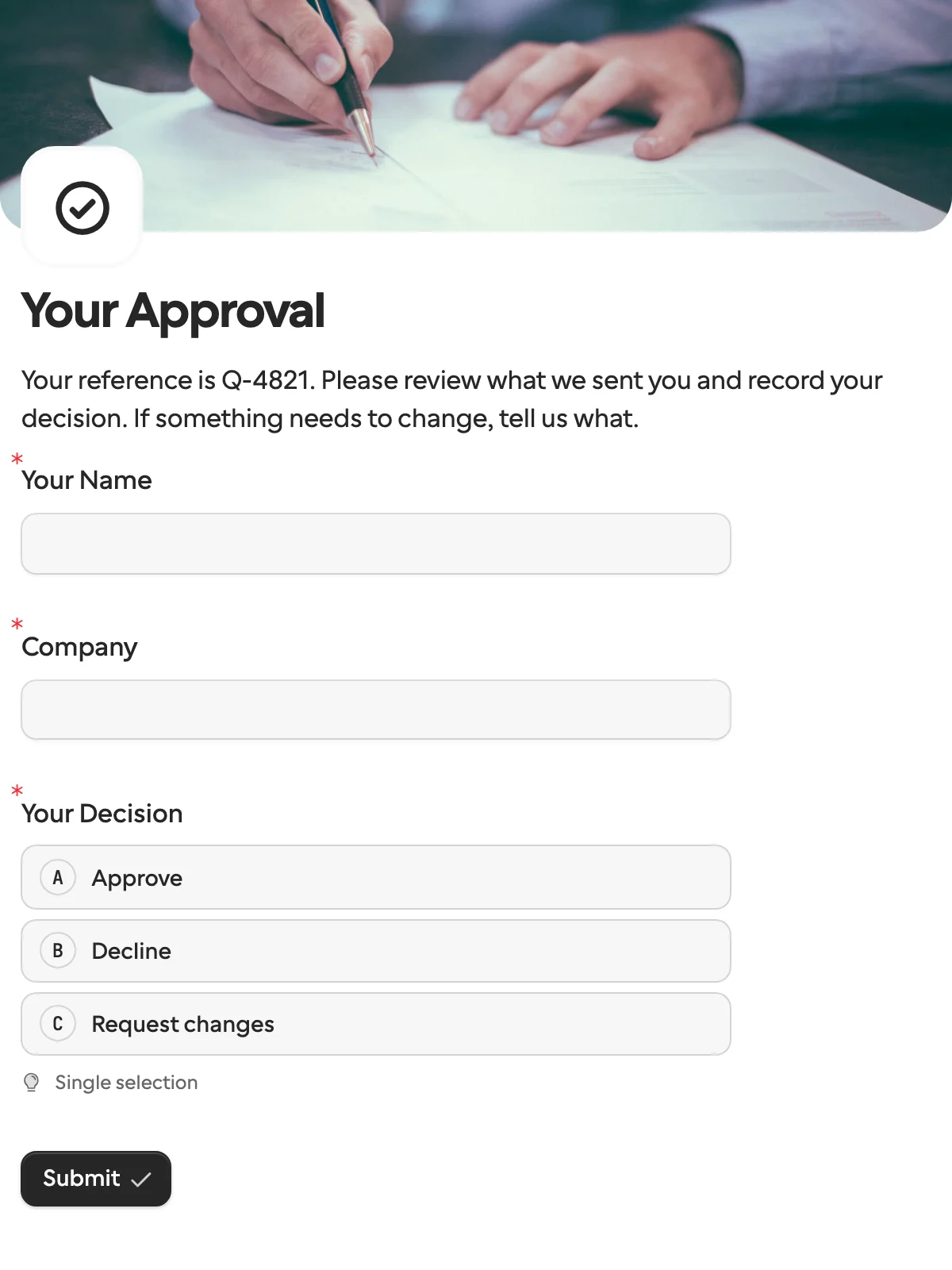
Use a request when the person is outside your company, or the answer takes more than a click, like correcting a prefilled value, uploading a document or signing.
How do people build a Slack approval workflow?
Two ways. In Slack Workflow Builder, a button holds the workflow: Slack’s guide says it will not proceed until someone clicks, and advanced options limit who may click and set an expiry date. Workflow Builder is on paid plans, and branches, which send each button to its own path, are listed for Business+ and Enterprise only.
With a workflow tool posting to Slack, n8n’s Slack node has Send and Wait for Response. With Capture Who Responded on, the buttons work inside Slack and n8n records who clicked, which needs your Slack app’s signing secret and a public HTTPS address. With it off, the buttons open an n8n page where anyone with the link can respond and n8n cannot tell who clicked.
Can someone outside your Slack click an approval button?
Only from inside Slack, and getting them inside is the work. Slack’s help center gives two routes, and both come with conditions.
A guest account. Guest accounts exist on paid plans only, and owners and admins invite them. Single-channel guests are free, up to five per paid member, and multi-channel guests are billed like members.
Slack Connect. Both sides keep their own workspace and share a channel, and Slack’s guide says each organization must be on a paid plan. An organization new to Slack or on its free plan can take a 90-day trial, and the shared channels disconnect if it ends without an upgrade. A Slack Connect DM works on any plan, though we did not test a workflow button in one, and on Enterprise Grid free-plan teams can join invited channels without a trial.
Once they are in, the workflow has its own gates. Slack’s page on workflows in Slack Connect says admins decide whether external people may run your workflows, the workflow’s access setting has to include external organizations, and some steps, like custom steps, are off limits to them. The click-restriction list only takes people from your own workspace.
Emailing the workflow link does not work either. Slack’s Workflow Builder FAQ says a link-triggered workflow has to be shared and clicked inside Slack, and pasted into an email or a browser it does nothing.
That is fine for a partner you work with weekly, and a lot of setup for a tenant agreeing to one date.
How do Slack buttons and a request compare?
Slack’s and n8n’s columns come from their docs, and Formstep’s from our pricing and docs, all checked on 5 November 2026.
| What you are comparing | Slack approval buttons | Formstep request |
|---|---|---|
| What they need | A seat in your Slack as a member or guest, or their own Slack through Slack Connect, paid for a shared channel | A browser and a link; no account |
| Chasing | You build it | Pro and up, reminder emails on a schedule |
| If nobody answers | A Workflow Builder button can carry an expiry date; a time limit is not found in n8n’s Slack approvals page | Expiry after 30 days unless you set another date, then an event |
Where is Slack the better pick?
For colleagues, and it is not close. They are signed in and notified, and do not leave the tool they are in.
- Quick calls. A deploy, a refund above a limit or an extra discount does not need a page.
- Team visibility. Others can see the decision in the channel and discuss it in a thread.
- No extra product. If your team already pays for Slack, Workflow Builder is there.
- Partners already in Slack. An agency and a client sharing a Slack Connect channel can approve in it, once admins allow workflows there.
- Knowing who clicked. In-Slack buttons identify the Slack user. A Formstep link identifies whoever has it, unless you use the Business plan’s email verification.
Is a yes or no by email enough?
Sometimes, and then you need neither Slack nor a request. n8n’s Gmail node has an email version of Send and Wait with approve and decline buttons, and whether it records who clicked is not found in its docs. It stops being enough once the answer needs a corrected value, a file, a signature or a second language.
Where is a request the better pick?
When they are not on your Slack. Getting an outsider to a Slack button means a guest login or a Slack of their own, plus admin settings on your side. A request is a link that opens in a browser.
- The decision needs material. Attach the contract, have them read it and sign. The approval template shows a text box when they ask for changes and a signature when they approve.
- Prefilled data to confirm. A supplier corrects the IBAN you have on file, while the company name stays locked.
- Another language. One form in up to 65 languages, and the verdict stays
approve. - The ending is an event. Expired and canceled requests fire the same signed callback as a completed one.
- Chasing. On Pro and Business, reminder emails go out on a schedule. On Free you send the link yourself, because invitation and reminder emails start on Pro.
Can I use both?
Yes, because most approvals outside the team have someone inside waiting. The customer answers a request, the workflow posts to Slack on request.completed, and a button goes to anyone internal who must sign off too. Formstep also has a Slack integration that posts submissions to a channel.
In n8n, that is a Create request node, a Wait node, then a Slack node, as in the four-node walkthrough. The Zapier version uses two Zaps, and the n8n and Zapier pages list the connectors. Each request uses one unit of Formstep’s monthly allowance.
How we compared them
We read Slack’s help center and n8n’s Slack, Gmail and Wait node docs on the date above. We ran no scored test and did not test what a guest or Slack Connect user sees for every kind of workflow. We found no forum threads worth linking, so the friction here comes from Slack’s own pages, not from complaints. No link carries an affiliate code. If something is out of date, tell us through Contact support in the footer.
For someone outside the team, the approval template is the quickest way to try a request, and the other templates cover onboarding, documents and payments.
