

Approval form template for clients
An approval form records a yes, a no or a request for changes from someone outside your team, with no login. You get a clear outcome back, and a signature when they approve.
Updated
Opens in the editor. No account needed to try it.
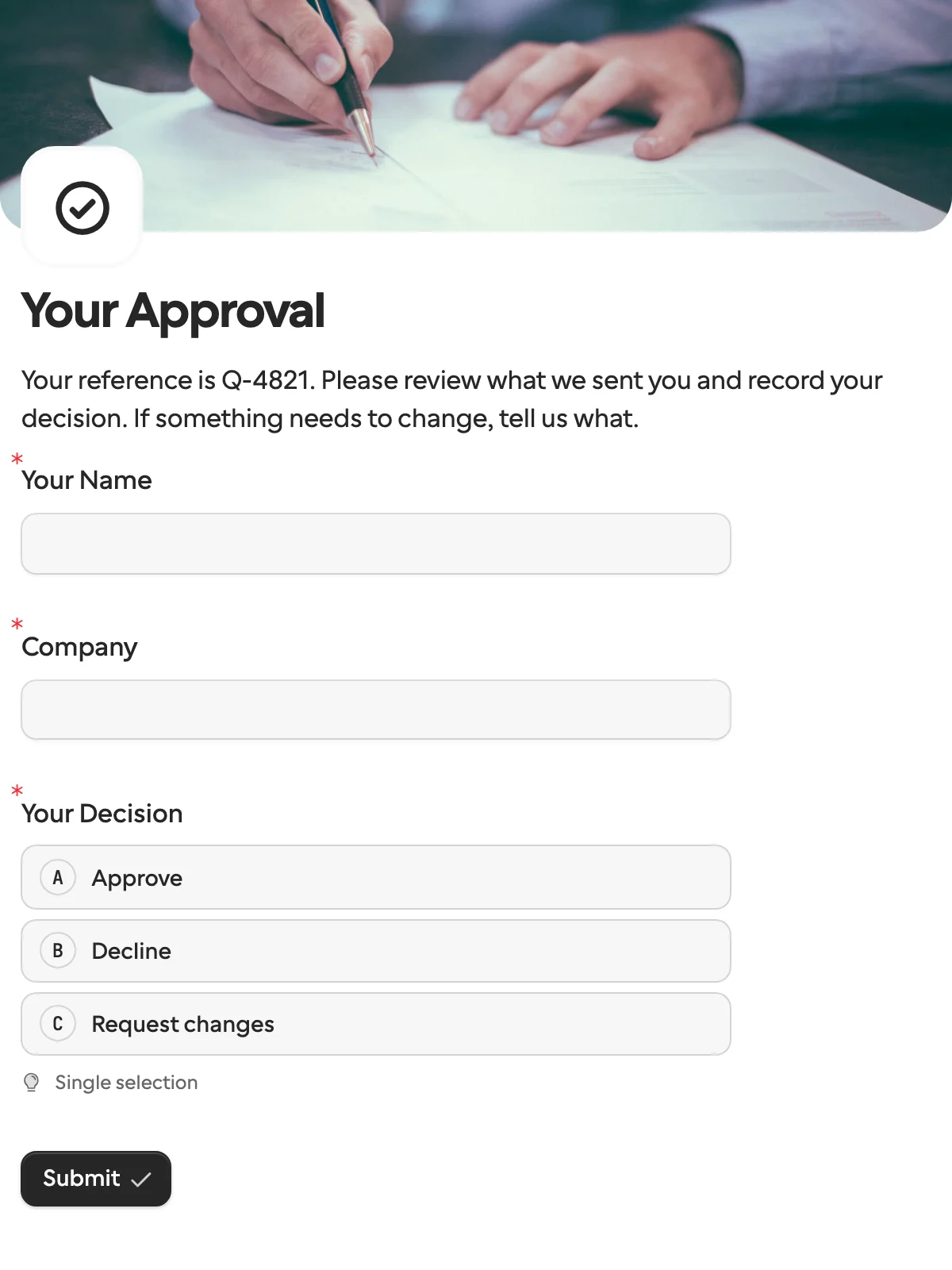
What it asks
| Question | Field key |
|---|---|
| Your Name | full_name |
| Company | company_name |
| Your Decision (approve, decline or changes) | decision |
| What should change? (shown when they request changes) | requested_changes |
| Signature (shown when they approve) | signature |
What each answer does
The form changes with the decision. Choosing Request changes shows a question asking what should change, and choosing Approve asks for a signature. The answer to decision becomes the request’s outcome, so what happens next never depends on reading free text.
How to use it
- Select Use this template. It is the same form the demo starts from.
- Publish it, and create a request with the approver’s name filled in and locked. Set the hidden
referencefield to your quote or contract number. - Attach the document to review by adding a Documents question.
- In Zapier, Request Completed starts a Zap with the outcome. In n8n, Wait for the Outcome resumes the same run.
To replace Approval by Zapier with this form, follow the two-Zap walkthrough.
What to change
- The words, not the keys. Reword “Approve” as “Accept the offer” or “Sign off” and translate the labels; the option keys stay
approve,declineandchanges, so nothing downstream changes. - What they decide on. Add a Documents question and attach the quote or contract per request, or describe it in the form text, where the hidden
referencecan be shown by name. A hidden number field carries an amount the same way. - The signature. It appears only on approve. Drop it when a click is enough, or show it on every outcome if your process needs a signed decline too.
- Who they are.
full_nameandcompany_nameare prefilled and locked in the example below. Drop them for approvers you do not know in advance.
Send it from a workflow
The approver’s name and company come from your CRM, the document from your file store. Lock what identifies them, put your quote number in reference, and attach what they are deciding on.
{
  "method": "requests.create",
  "params": {
    "formId": "j57...",
    "recipient": { "email": "ada@acme.example", "name": "Ada Lovelace" },
    "context": { "reference": "Q-2041" },
    "prefill": { "full_name": "Ada Lovelace", "company_name": "Acme Ltd" },
    "readonly": ["full_name", "company_name"],
    "documents": [{ "documentId": "kn7...", "name": "Quote Q-2041" }],
    "delivery": "email",
    "externalId": "Q-2041",
    "callbackUrl": "https://automation.example/webhook/Q-2041"
  }
}
The callback’s data.request.outcome is approve, decline or changes, next to status, so a Switch node or a Paths step branches without reading any text. On changes, answers.requested_changes says what; on approve, the signature is in the answers too. No answer by the expiry sends request.expired instead, which is a fourth branch worth handling.
When another template fits
- Invoice verification when you need corrected values rather than a verdict.
- Payment request for the step after a yes, when the approved amount has to be paid.
- Client intake and onboarding when the signature belongs on terms and details, not on a decision.
More templates
- Vendor onboardingCompany, tax and bank details, a registration document and a signature.
- Client intake and onboardingContact and billing details, terms and a signature from a new client.
- Document collectionAsk one person for files, with your own paperwork attached.
- Payment requestShow an invoice number and amount, then take the payment.
- Invoice verificationHave a supplier check what your AI read from their invoice.
- Employee onboardingPersonal details, emergency contact and preferences from a new hire.
- Job applicationCandidate details, experience, resume and availability.
- Contact formName, email and a message, from anyone on your site.
- Lead generationA demo request with company details, straight into your CRM.
- Appointment bookingPick a service and a time from your live calendar, in one form.
- Support requestA ticket with category, priority, description and a file.
- Event registrationAttendee details and dietary requirements, from anyone with the link.
- RSVPA yes or a no, with a meal choice for every guest they bring.
- Quick feedbackA five-star rating and an optional comment, done in ten seconds.
- NPS surveyThe 0 to 10 question, the reason, and what could be better.
Questions about this template
Something else on your mind? The docs cover every setting, and we answer email.
Create a request from this form, attach what they should review as a document or a link, and send it. They choose approve, decline or request changes, and the request records the outcome.
No. They open a link and answer on any device. That is the difference from approval buttons in Slack, which suit colleagues.
Yes. The Decision question sets the request’s outcome to approve, decline or changes, so a Filter, Paths or Switch step can branch on it. See the decisions guide in the docs.
Who is deciding, what they are deciding on, a clear approve, decline or changes choice, and a signature if you need one. This template asks what should change only when they request changes.
