

An n8n form alternative: Formstep vs the Form Trigger and Wait node
n8n's own form is free, on Cloud too, and better for colleagues. Formstep suits someone outside the team. Compared on 5 November 2026, with threads linked.
By Onur Hakbilen, founder of Formstep · Published
I built Formstep, so read this knowing which side I am on, and check it against n8n’s Form Trigger docs and Wait node docs. If you are searching for an n8n form alternative, the main result comes first: when the person answering is on your team, use n8n’s form.
It is already there, it costs nothing extra, and it works on n8n Cloud, where our node does not.
The rest of this post is about the other case: the person is outside your company, and the workflow has to wait for them.
The short answer
Pick the n8n form if the person is a colleague, or if you control both the audience and the link. An internal request form, a team approval or a quick data-entry step all fit it.
Pick Formstep if one named person outside the team has to answer: what you know is prefilled or locked, someone has to chase them, and the workflow needs to hear about it when they never answer.
With n8n's Wait node form
8 steps to build and keep running
- Trigger: a new vendor in your sheet
- Email node: send the form's resume URL
- Wait node: On Form Submitted, with a time limit
- IF: did the wait run out?
- Email node: send a reminder, loop back to Wait
- IF: gave up after three reminders? Tell someone
- Code node: check the answers, ask again if wrong
- Your next step
With a Formstep request
4 steps to build
- Trigger: a new vendor in your sheet
- Create request: prefill, lock, wait for the outcome
- Wait node: On Webhook Call
- Switch: completed, expired or canceled
Formstep handles the rest
- Prefilled and locked fields, held on the server
- A form under your brand, in their language
- Invitation and reminder emails, on Pro
- Answers checked with AI Validation, on Pro
- Expiry and cancellation, sent as events
There are two n8n forms
The Form Trigger starts a workflow when someone submits, and the Form node adds pages after it. Its docs list twelve element types, including File and Hidden Field, plus Basic Auth and n8n User Auth.
The Wait node set to On Form Submitted pauses a running workflow until a form is submitted. It is the one you use partway through a run, and it is much smaller: six field types, with no file field, no default value and no separate field name in its docs.
Formstep and n8n’s form compared
n8n’s column comes from its docs on 5 November 2026, and Formstep’s from our pricing and docs. “Not found” means we did not find it there, so check if it decides your choice.
| What you are comparing | n8n Form Trigger and Wait node | Formstep request |
|---|---|---|
| Cost | Included in n8n | Node free; Free plan 1,000 submissions and requests a month; Pro $39, or $32.50 billed yearly |
| Runs on | n8n Cloud and self-hosted | Node on self-hosted n8n only; on Cloud, the REST API from an HTTP Request node |
| Who it is for | Anyone with the URL, or behind Basic Auth or n8n User Auth on the Form Trigger | One named recipient; the link accepts one completion and needs no account |
| Where it opens | Your n8n address, from WEBHOOK_URL |
form.formstep.io; on Pro, up to 5 custom domains |
| Prefill | Query parameters on the production URL | Held on the server; the link carries a token |
| Locking a field | Not found in its docs | Per request |
| Question types | Form Trigger 12, with File. Wait node 6, no File | 20+, with signature, payment, scheduling and repeating groups |
| Styling | Form Trigger: your own CSS. Wait node: not in its docs | Logo, cover and theme presets on every plan; custom themes and branding removal on Pro |
| Languages | Not found in its docs | One form in up to 65 languages, every plan |
| Reminders | Not found in its docs; you can build a loop | Pro and up, on a schedule |
| Ending the wait | Limit Wait Time | Expiry after 30 days by default, up to 365; expired and canceled are events |
What people run into with n8n’s own forms
These come up on community.n8n.io and in n8n’s GitHub issues. n8n ships often, so an older thread may not describe your version.
| What people ask | What they report | What Formstep does |
|---|---|---|
| Can I preselect a dropdown or lock a field? | Query parameters fill text fields, but dropdowns and read-only fields went unanswered | Prefills choices by option key, and locks per request |
| Why does the Wait form link say it is no longer valid? | A resume URL emailed out stopped working, and the run kept waiting | The request link works until the request ends, and expiry resumes the run |
| Why does it open on localhost or my n8n address? | Behind a proxy it showed localhost until WEBHOOK_URL was set |
Opens on Formstep’s domain, or yours on Pro |
| How do I protect it for someone outside? | User Auth needs an n8n account, and Basic Auth is one shared password | One secret link per person; email verification on Business |
| Can the form take a file? | The Wait form lists no File type, and Form Trigger uploads can hit size limits | File questions in the same form, up to 1 GiB per file within your storage |
| What about other languages? | Labels become output names, so a second language changes the keys on forms without a Field Name | One form in up to 65 languages, with the same keys in each |
| Who reminds them? | No reminder in the Wait docs, so you build a loop | Scheduled reminders on Pro and Business; expiry on every plan |
| Why does Submit keep spinning? | The button waited for the whole workflow on 1.84.3 | The thank-you page shows at once, and the callback is separate |
Where Formstep does not help. Nobody can prefill a file, signature or payment. Wait for the Outcome still runs on n8n’s /webhook-waiting/ endpoint, so your proxy must pass it, and the node needs WEBHOOK_URL and public HTTPS too. There is no SSO on any plan. On Free you send the link and do the chasing, and 100 MB of storage fills quickly.
Where n8n’s form is the better pick
- Colleagues. They know your n8n address, and n8n User Auth lets them answer as themselves.
- One fewer service. On self-hosted n8n the answers stay on your instance, with nothing else to approve or pay for.
- n8n Cloud. The form works there today, and our node does not.
- Free CSS control. Custom Form Styling and removing the attribution cost nothing on the Form Trigger.
- Stable names on the Form Trigger. Field Name now gives a field its own output name.
- Short forms. A few fields for someone who knows why they are there do not need a form engine.
Where Formstep is the better pick
- Someone outside the team. They see your brand, and on Pro your domain, not an n8n hostname.
- Sensitive values. A request keeps prefilled values on the server, so an IBAN is not part of a link, and a vendor can see their company name without changing it.
- Harder questions. Signatures, Stripe payments, scheduling, repeating groups and documents to read sit in the same form.
- Keys that survive translation.
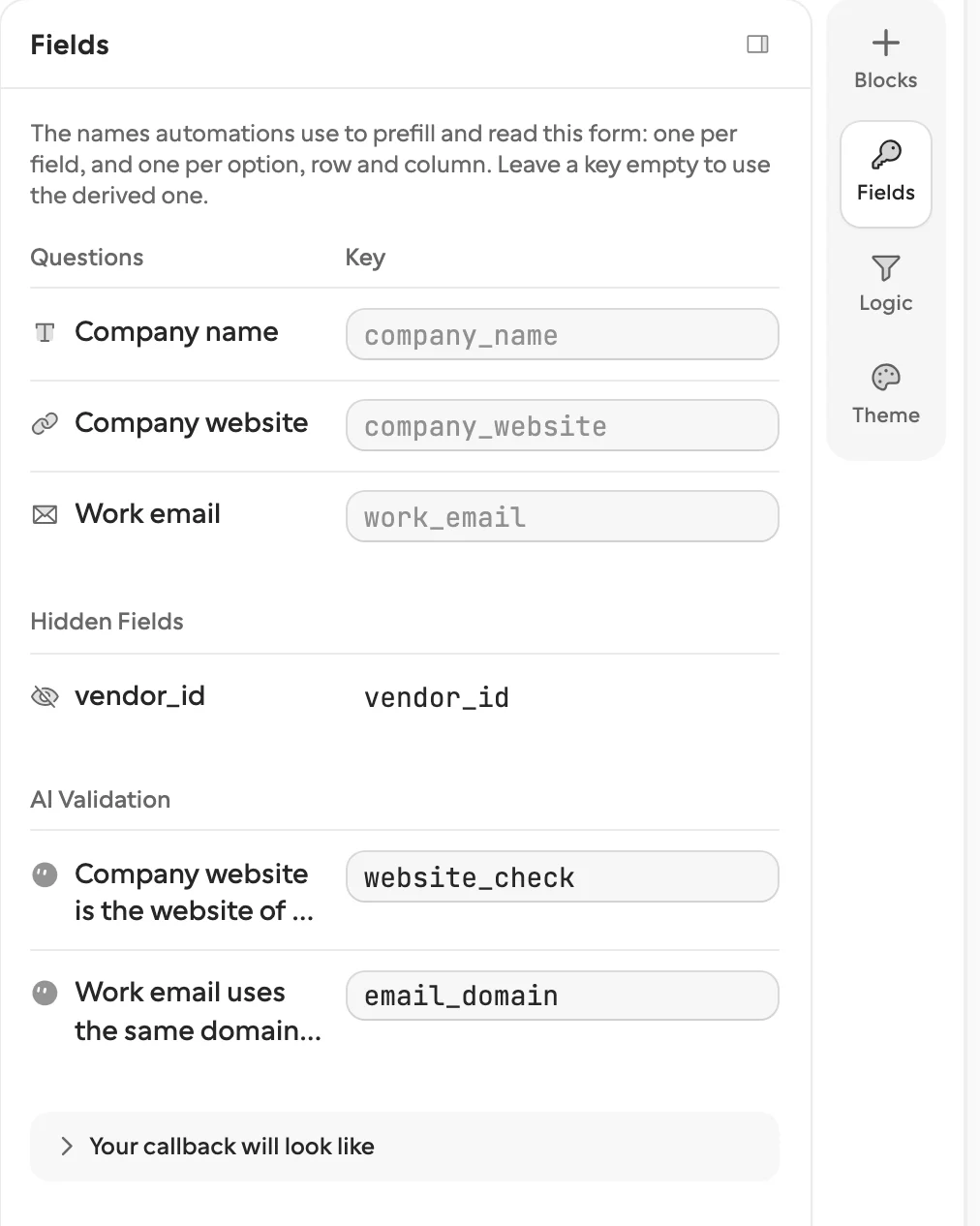
answers.ibanstaysibanwhen you retitle or translate, and a choice comes back as its option key. - Knowing it ended. Expiry and cancellation arrive as events, so one Switch handles every ending. The workflow walkthrough shows that loop, starting from the vendor onboarding template.
Can I use both?
Yes, and I would. Use the n8n form for internal steps, then a Formstep request for the step that leaves the company. Each request uses one unit of Formstep’s monthly allowance when it is created, answered or not.
How we compared them
We read n8n’s docs on the date above, and the forum threads and GitHub issues linked here. We did not run a scored test, and no link carries an affiliate code. If something is out of date, tell us through Contact support in the footer.
For more, see collecting documents in n8n, the n8n integration, multilingual forms and Slack approvals vs a request.
