

Getting a Make.com approval from someone with no Make account
A Make.com approval workflow cannot wait in one run, and Make's Human in the Loop app is for Enterprise. Two scenarios get a verdict from anyone.
By Onur Hakbilen, founder of Formstep · Published
A Make.com scenario cannot sit and wait for a person. That is fine until a client has to sign off a quote, or a supplier has to confirm a delivery date, and the scenario that prepared everything can only end.
I built Formstep’s Make app for that step. This post covers what Make offers for a human in the loop step, where a request helps, and the scenarios that branch on the answer.
In short: a Make run does not wait days for a person, and Make’s own Human in the Loop app is for Enterprise. For someone outside your company, one scenario creates a Formstep request, they answer from a link with no account, and a second scenario acts on the answer.
Can a Make scenario wait for a person?
Not in one run. Make’s own pages said this on 14 November 2026:
- The Sleep module delays a scenario for up to 300 seconds. For a longer pause, Make’s help center suggests splitting the work into two scenarios.
- Make has a Human in the Loop app with Create a review request and Watch completed reviews. Its page says the app is available on the Enterprise plan and in closed beta, for invited customers only. The page does not say who may review, so check that before you plan a customer step around it.
- In a July 2026 forum thread about pausing for a reviewer, the replies advise against holding one run open. They suggest separate scenarios joined by a webhook, a data store for the state, and Tally or Airtable for the reviewer’s form.
So the usual Make build is already two scenarios. Make leaves the part between them to you: the form, who it was sent to, the reminders, and what happens when nobody answers.
Where does a Formstep request help?
It helps when the approver is one named person outside your company. A scenario creates a request, the person opens a link with no account, and a second scenario starts with their answers.
| What you need | With a public form and a webhook | With a Formstep request |
|---|---|---|
| A link for the approver | One link that anyone can open and submit | A link for one recipient, which accepts one completion |
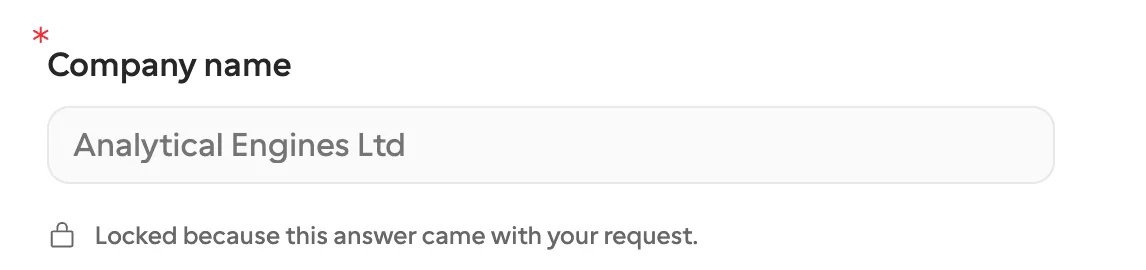
| Values they must not edit | Usually values in the URL, which the person can change | Prefilled and locked per request, held on the server |
| Knowing who answered | A data store that matches each answer to the person you asked | Your External ID comes back with the answer |
| Nobody answers | A scheduled scenario that finds who is late and emails them | Reminders on Pro and Business; the request expires and starts a scenario |
It does not help with colleagues. For them a Slack button is one click, and on Enterprise Make’s own app may fit. A request does not pause the scenario either.
Make’s bill also stays. Make’s pricing page says most actions use one credit, that reading data from a webhook counts, and that a router uses none. It lists 1,000 credits a month on Free. Free also allows 2 active scenarios, where Core and up are unlimited, so Free covers the request and the answer, and a scenario for expiry needs a paid Make plan.
How does a Make approval workflow fit together?
The first scenario creates the request and ends, and the second starts when the request is completed, minutes or weeks later. The second knows nothing about the first one’s run, so what it needs travels on the request. Usually your External ID is enough, because it finds the record.
A Watch requests trigger listens to one event. Completed, expired and canceled are three triggers, so handling every ending takes three short scenarios after the first. Most builds need two of them: completed and expired.
What do you set up first?
The Formstep app for Make is in beta, shared by invitation until Make approves it for its app directory. Open the invitation from the connect guide, install the app in your organization, and sign in from any Formstep module. One connection covers one workspace.
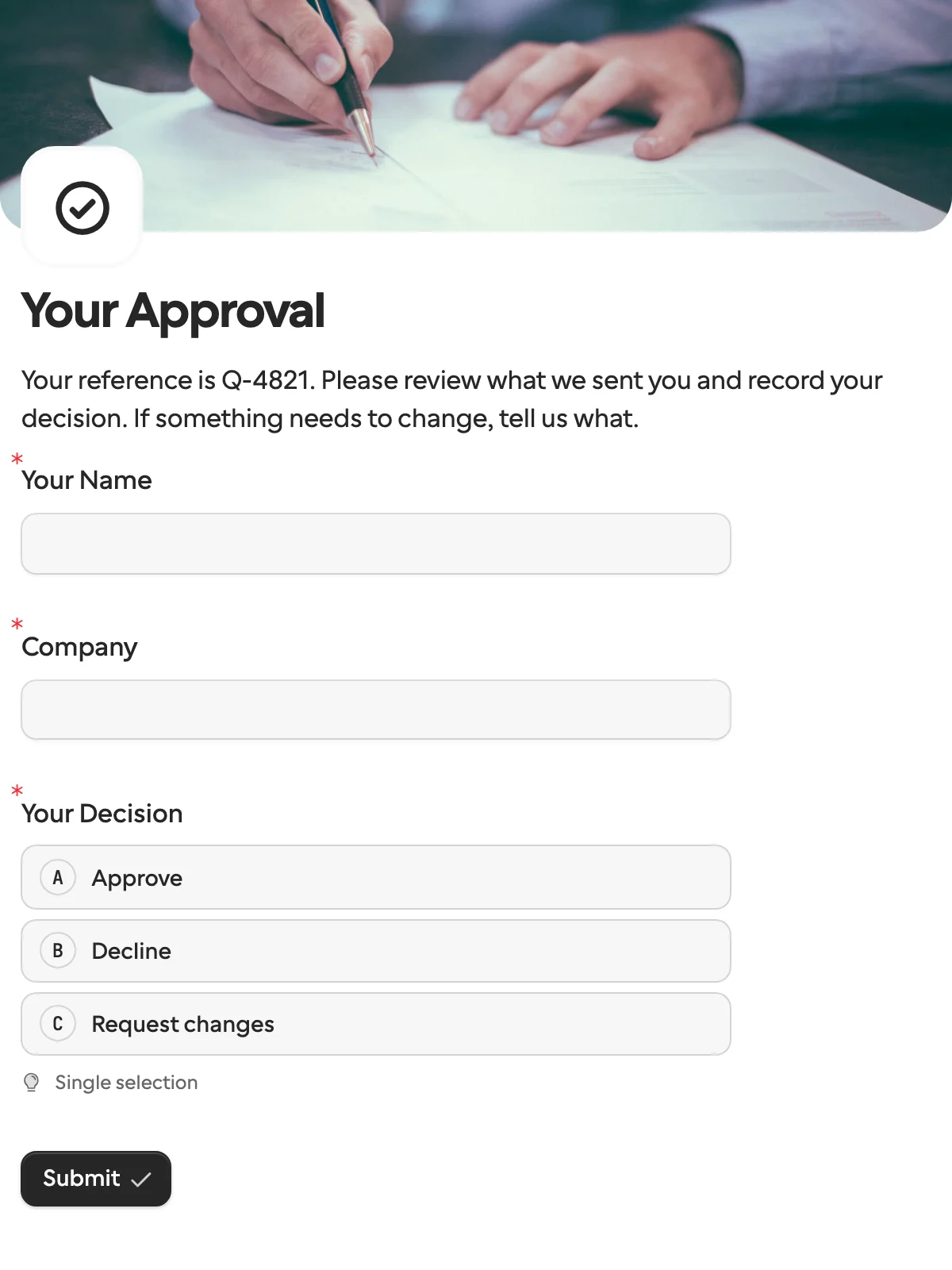
Then you need a published form. Open Templates and pick Approval: a Decision question with Approve, Decline and Request changes, plus a text box for changes and a signature for approval.
Add hidden fields for what the approver must see and never edit, like quote_number and amount, mention them with @, and publish. The Decision question’s field key is always decision, with values approve, decline and changes, so rewording or translating the labels does not touch the scenario.
How do you send the request in scenario 1?
Start with whatever should ask, like a deal moving to a stage in your CRM, and add Formstep › Create a request:
- Form is the Approval form. Picking it loads one input per question under Prefill, one per hidden field under Context, and the Read-only fields picker.
- Recipient email and Recipient name come from the trigger.
- Delivery decides who sends the link. Email the invitation has Formstep send the invitation and reminders, and needs Pro or Business. I deliver the link myself means a later module sends the Request link, by your own email tool, Slack or SMS.
- Map
quote_numberandamountunder Context. Questions you already know the answer to go under Prefill, and Read-only fields locks them. A choice question takes its option key, and a date takesYYYY-MM-DD. - External ID is your own id, like
deal-1042-quote. Running the module again with the same external ID and inputs returns the same request instead of a second one. - Expires at is optional. A request expires after 30 days unless you set another date, at most 365 days away.
The module returns the Request ID, the Request link and the Status, which is pending.
How does scenario 2 act on the verdict?
Create a second scenario with Formstep › Watch requests as the trigger. Click Create a webhook, pick the form, and set Event to Request completed. It runs for every completed request to that form.
The bundle has Data › Answers, with each question under its title, and Data › Request, with your external ID, the recipient and the outcome: approve, decline or changes.
To act on one verdict only, add a filter after the trigger that lets a bundle through when the outcome is approve. To handle each verdict differently, add a router with one route per value: approve moves the deal on, decline tells the account owner, and changes sends the answer to What should change? to the account owner.
Compare the value from Answers, never the text from Answers (display), because the text changes when you reword the option or the recipient answers in another language.
What happens when nobody answers?
The request expires, and you can act on that. Add a scenario with Watch requests and the event Request expired, which runs when the expiry date passes. One on Request canceled runs when someone withdraws the request, and carries the reason. Both carry your External ID, so they can update the same deal.
Before expiry, Formstep can chase. On Pro and Business, the form’s reminder schedule emails the recipient when they go quiet, and Send a request reminder sends one on demand. On Free you send the link yourself, and the expiry still fires. Cancel a request withdraws a request whose deal fell through, and its link stops working.
How do you test it?
A Test request sends no email and never reaches a trigger. So build both scenarios, then turn Test request off, set Delivery to I deliver the link myself and use your own email. Click Run once on the second scenario, open the Request link, answer the form, and the trigger shows one bundle. Use a fresh External ID when you turn Test request off.
When do you not need this?
If the approver is a colleague, Slack buttons are simpler, and if your organization has Make’s Human in the Loop app, try it first for internal review. If one run has to pause for someone outside and you run your own n8n, that pattern does it in a single execution. On Zapier, the same build is two Zaps.
Our app is in beta, so you install it from an invitation link instead of Make’s app directory. Formstep also signs its webhooks, but a Make app sees only the parsed body, so Make cannot check the signature. The webhook URL, which is hard to guess, is what protects a delivery.
A request is worth the second scenario when the person is outside your company. The full option list is in the Make guide, and the Make page covers public link submissions as well.
How I checked this
Make’s side comes from its help center, app documentation, pricing page and community forum as they read on 14 November 2026, with each page linked. Formstep’s side comes from our pricing and docs. If something is out of date, use Contact support in the footer. The form here is the approval template, which opens with no account.