

Form APIs for AI agents: three ways to ask a human
Three ways an AI agent can ask a person and read the answer: Zapier Human in the Loop, MCP elicitation and Formstep. Checked in November 2026.
By Onur Hakbilen, founder of Formstep · Published · Updated
An AI agent can ask you a question in the chat. It gets harder when the person who knows the answer is someone else: a customer, a supplier, a manager. The agent then needs a way to put a question in front of that person and read the answer back later.
We make Formstep, one of the three here, so read this as one side’s account and follow the links. The other two reach a person by another route: Zapier’s Human in the Loop and MCP elicitation. Formstep does not win every row, and MCP elicitation is free. Form builders such as Tally, Typeform and Jotform have APIs and MCP servers too, but their link is the same for everyone. We compared them in the best form builders.
In short: for a colleague inside a Zap, Zapier’s Human in the Loop. For the person using the agent, MCP elicitation. When one named person outside your team has to confirm, upload, sign or pay, Formstep.
What is a form API for AI agents?
The agent sends the questions as JSON in one call and gets back a link. Someone gives that link to a person, who answers in a browser. The answers come back as JSON, by webhook or when the agent asks again.
The tools differ in what surrounds that loop: who the link is for, what the form can hold, who chases the person, and what the agent hears when nobody answers.
How do the three compare?
Each column comes from the vendor’s own pages. We read Zapier’s help center and the MCP specification on 5 November 2026. Formstep’s row comes from our pricing and docs. Prices are per month in US dollars.
| Tool | Price | Who gets the link | Prefill and lock | Reminders and expiry | How the answer returns | MCP server |
|---|---|---|---|---|---|---|
| Zapier Human in the Loop | Not on Free; reviewers other than you from Team | A reviewer with a Zapier account | Not checked | One reminder, then a timeout that skips the step or ends it | Inside the same Zap run | Not checked |
| MCP elicitation | Nothing beyond a client that supports it | The person using the MCP client | Does not apply | The user declines or cancels | Through the same client, on a retry | Part of the protocol |
| Formstep | Free: 1,000 submissions and requests. Pro $39, or $32.50 billed yearly | One link per named recipient, one completion | Held on the server; lock per request | Reminders on Pro and Business; expiry after 30 days by default | Signed callback on completed, expired and canceled, 8 retries; polling | Remote, one URL, API token or OAuth |
Which one fits which job?
The order follows the “In short” list above and is not a ranking.
Zapier Human in the Loop: a colleague, inside a Zap
If the work already runs in Zapier and the person is a colleague, this keeps everything in one run: Request Approval and Collect Data pause the Zap until someone answers. On 5 November 2026 its guide said reviewers must have a Zapier account, so it does not reach a customer. We did not check whether an agent outside Zapier can call it. Getting a Zapier approval from someone with no Zapier account covers where it stops.
MCP elicitation: the person using the agent
Elicitation is built into the protocol and costs nothing. It asks the user of the MCP client, inside that client, and the specification ties each request to that user. For a customer or a supplier it is the wrong tool, as MCP elicitation vs a request explains.
Formstep: one named person, with real work in the form
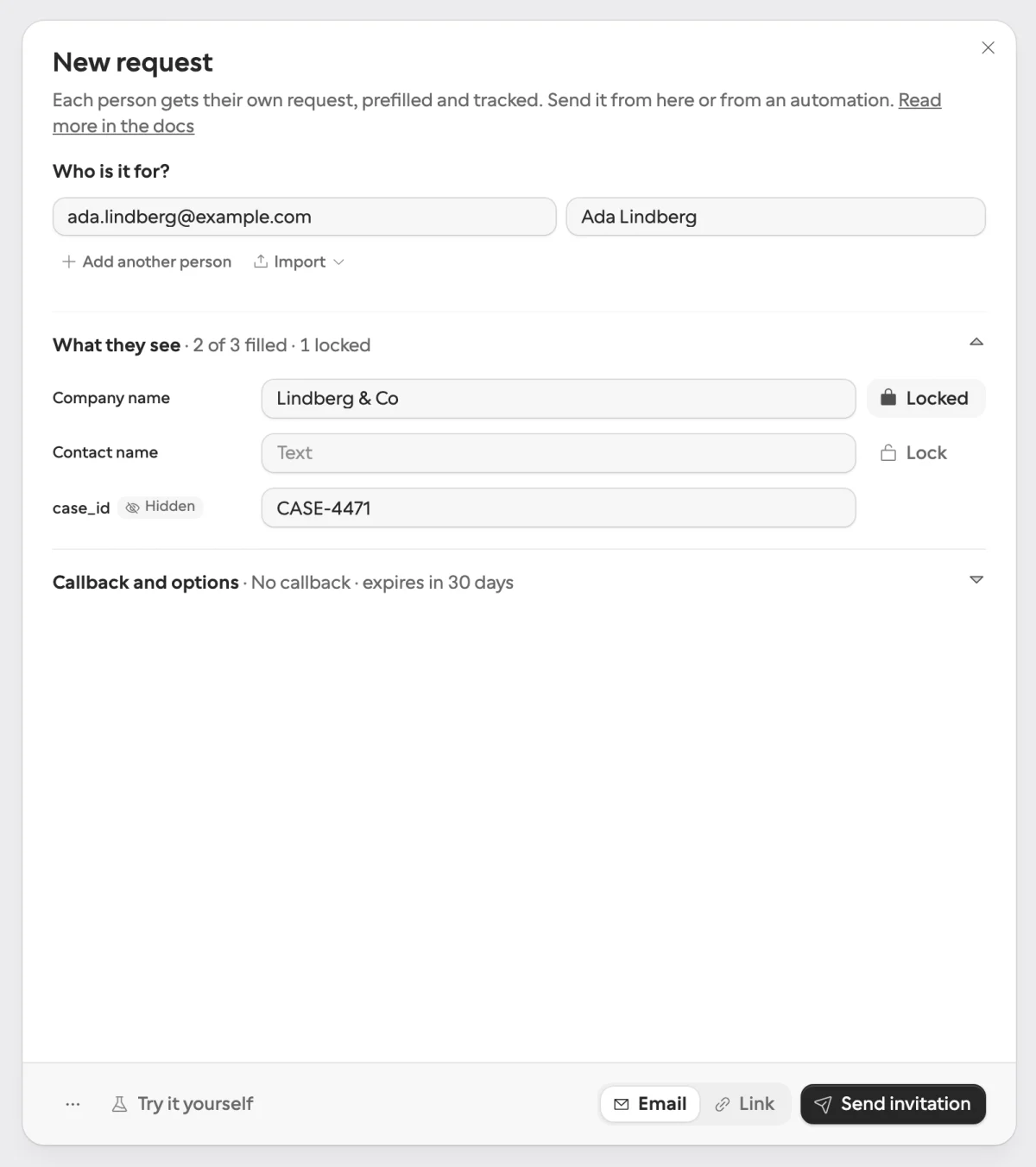
A Formstep request goes to one named person with what you know filled in, under your logo and cover, in their language and on your domain on Pro. A signed callback comes back when it ends for any reason.
- A company name can be shown and locked per request, on the server, with nothing in the URL.
- File uploads, signatures, documents to read, Stripe payments, scheduling, logic and repeating groups run on the same request, as in the document collection and confirm invoice details templates.
- On Pro and Business, reminders go out on a schedule and stop when the request ends. On Free you send the link yourself, because invitation and reminder emails start on Pro.
- Expired and canceled requests fire the same signed callback as a completed one, so a waiting workflow does not wait forever.
- It connects through a Zapier app, an n8n node for self-hosted n8n, and a remote MCP server. The Make app is in beta, shared by invitation until Make approves it.
Formstep charges for its emails and for more than 1,000 submissions and requests a month, and its MCP connection needs a person’s sign-in or a workspace token, so a person has to connect the agent first. It is also a younger product than the form builders it is usually compared with.
How long do the answer keys last?
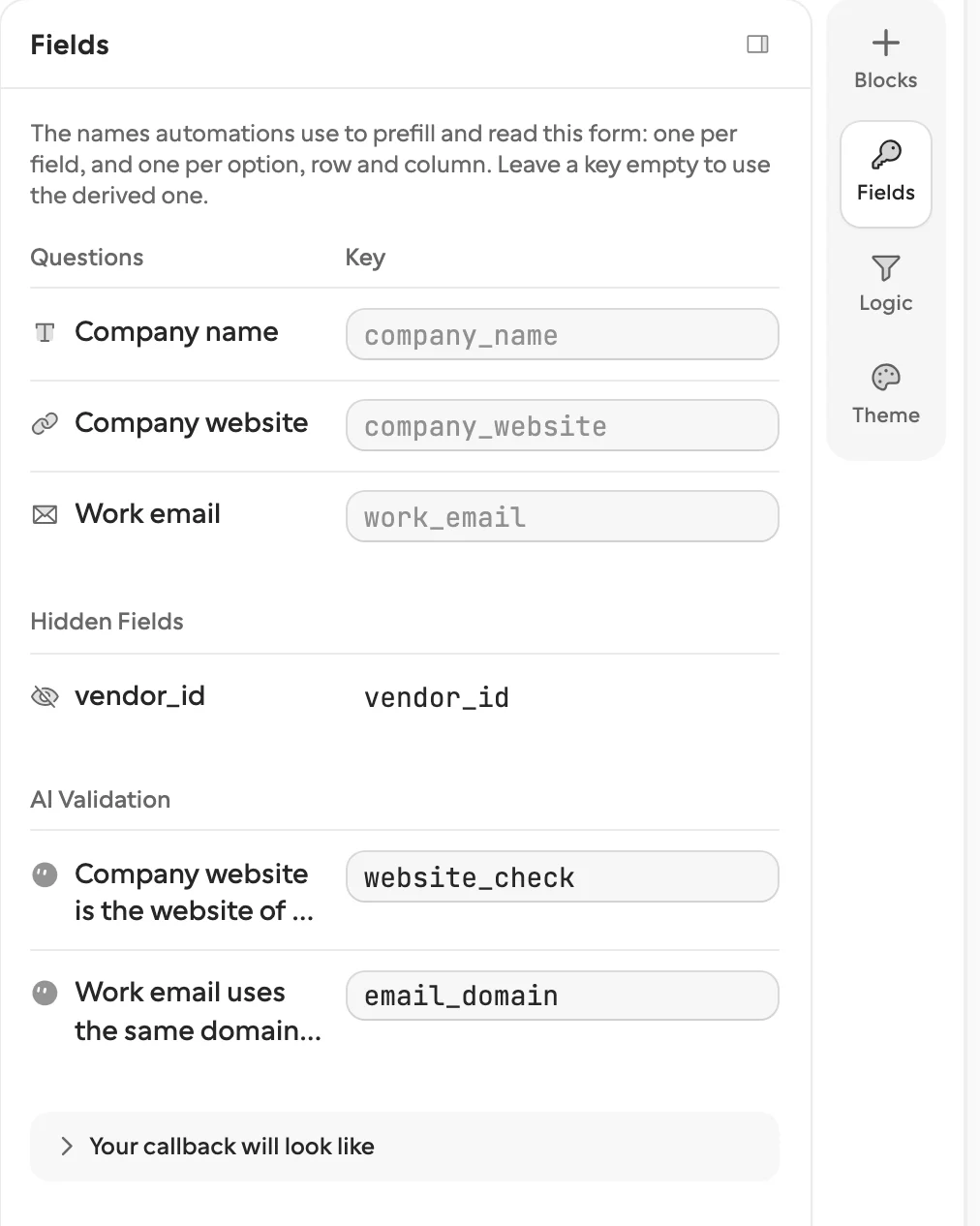
Formstep hands answers back under names you can address in code. One form serves many requests, so the key has to outlive edits. It is derived from the question title until you set your own, and it is fixed from the first publish: renaming “Company name” to “Legal entity name” keeps company_name. Choice options carry option keys too, so a workflow branches on answers.plan == "pro" in any language. An agent reads every key with fields.list before requests.create.
Can the recipient answer in another language?
On Formstep, yes. You translate a form once into up to 65 languages, by hand or with AI suggestions paid from AI credits, and a request names the language it opens in. A free-text answer you cannot read can be translated per submission, also on AI credits.
How do you see what is pending?
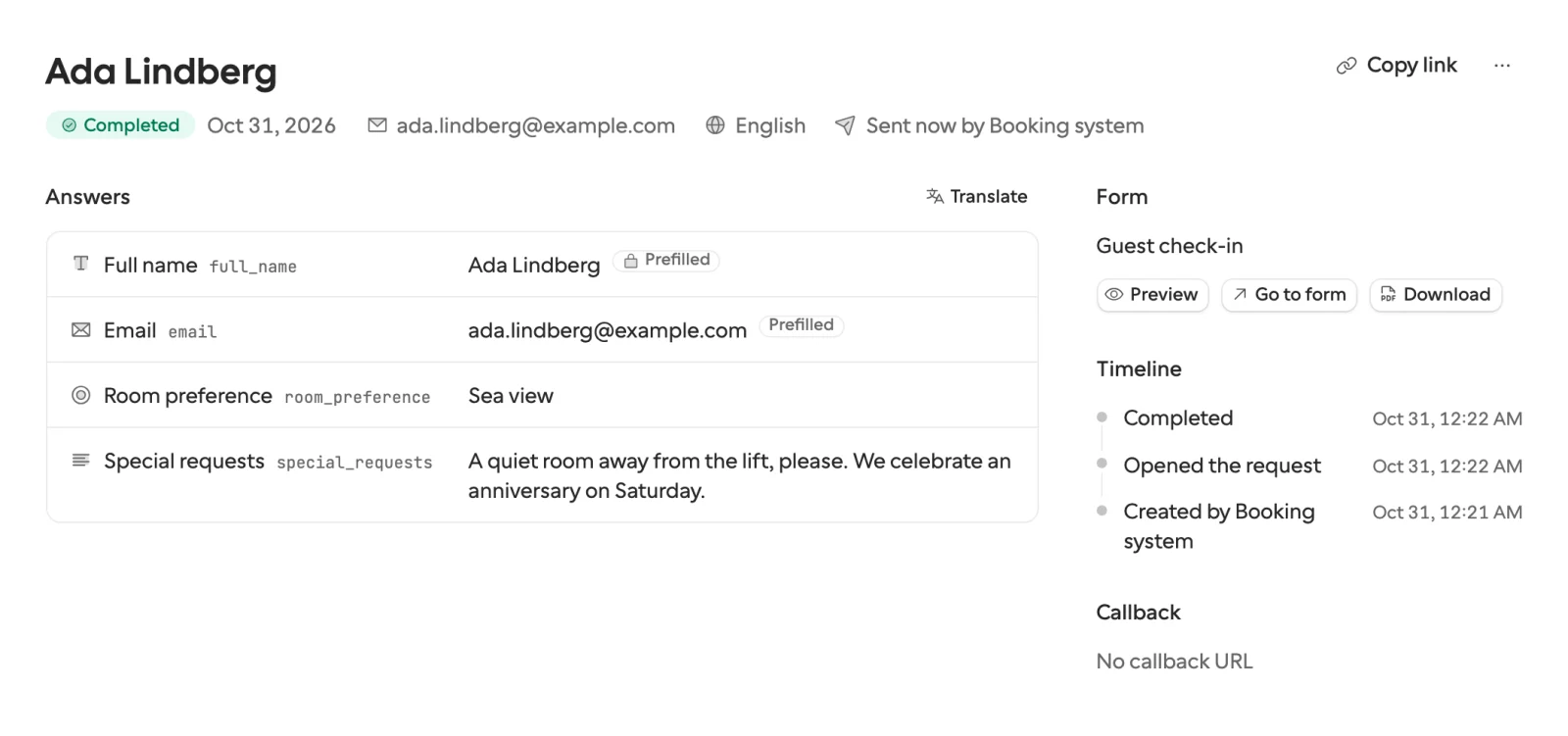
On Formstep, the Requests page lists every request with the recipient, the form and where it stands, with a red badge when a callback failed. Open one to see each answer by field key, the timeline, and the callback with a Replay button.
Can I use more than one?
You could, but there is little reason to unless two teams have already picked, so start with the one that fits your hardest case. An agent asking its own developer can use plain chat or MCP elicitation and needs no form at all.
How we compared them
We read Zapier’s help center and the MCP specification on the date above. We did not run a scored test, and no link carries an affiliate code. If something is out of date, tell us through Contact support in the footer.
For more, see Formstep vs n8n’s form, why a form builder’s link falls short for one recipient, and the request templates.