

Appointment booking form template
An appointment booking form asks which service someone wants and lets them pick a free time from your calendar without leaving the form, in your theme and their language. The booking lands on your Cal.com calendar and in the submission.
Updated
Opens in the editor. No account needed to try it.
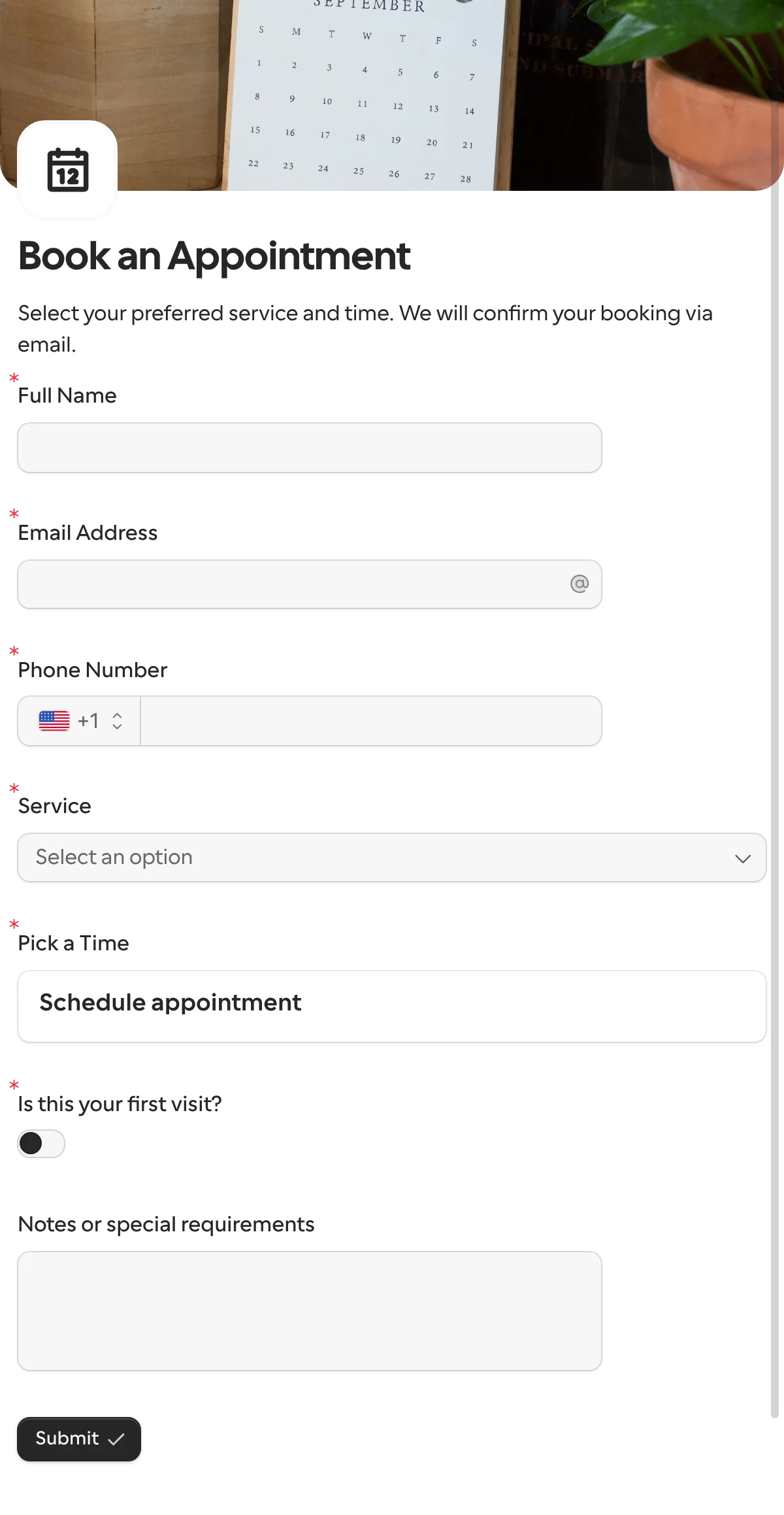
What it asks
| Question |
|---|
| Full Name |
| Email Address |
| Phone Number |
| Service (consultation, follow-up, assessment, treatment or other) |
| Please specify the service (shown when they pick Other) |
| Pick a Time (books a Cal.com event type) |
| Is this your first visit? |
| How did you hear about us? (shown on a first visit) |
| Notes or special requirements (optional) |
This one is a public form
The request templates here go to one known person. Booking is the opposite: a new client finds the form on your site, so you share its link or embed it, and the calendar does the rest. A request can carry the same question when you want one specific client to pick a time.
How to use it
- Select Use this template. In the Pick a Time question, click Connect Cal.com and choose the event type people should book.
- Set Name from and Email from to the two questions above, so the visitor does not type them twice.
- Publish it, and embed the form or share its link. Formstep will not publish until the question has its account and event type, and says so.
What to change
- The services. Rename the five options to what you offer. The sixth question appears only when someone picks Other; drop both if every service is on the list.
- One event type or several. One Schedule appointment question books one event type. For a 30-minute consultation and a 60-minute treatment, add a second question and show each with logic from the Service answer.
- The first-visit questions. How did you hear about us? shows only when the switch is on. Add an intake question there, say the reason for the visit, and returning clients never see it.
- The confirmation. Cal.com sends its own confirmation and calendar invitation. Use the form’s thank-you page for directions, parking or what to bring.
Where the bookings go
The booking shows under the question in the submission, with start and end time, time zone, attendee and meeting link, and goes out with the other answers to Google Sheets, Slack or a webhook. The other answers come back under keys derived from the titles, such as full_name, service and notes_or_special_requirements. The Cal.com integration page has what a form can and cannot book.
When another template fits
- Client onboarding for the paperwork after the first appointment, sent to that one client with their details filled in.
- Event registration when everyone comes at the same time and there is nothing to book.
More templates
- Vendor onboardingCompany, tax and bank details, a registration document and a signature.
- Client intake and onboardingContact and billing details, terms and a signature from a new client.
- Document collectionAsk one person for files, with your own paperwork attached.
- ApprovalApprove, decline or request changes, signed on approval.
- Payment requestShow an invoice number and amount, then take the payment.
- Invoice verificationHave a supplier check what your AI read from their invoice.
- Employee onboardingPersonal details, emergency contact and preferences from a new hire.
- Job applicationCandidate details, experience, resume and availability.
- Contact formName, email and a message, from anyone on your site.
- Lead generationA demo request with company details, straight into your CRM.
- Support requestA ticket with category, priority, description and a file.
- Event registrationAttendee details and dietary requirements, from anyone with the link.
- RSVPA yes or a no, with a meal choice for every guest they bring.
- Quick feedbackA five-star rating and an optional comment, done in ten seconds.
- NPS surveyThe 0 to 10 question, the reason, and what could be better.
Questions about this template
Something else on your mind? The docs cover every setting, and we answer email.
Cal.com, through the Schedule appointment question. Cal.com supplies the event types, the availability, the calendar invitation and the meeting link, and syncs with Google, Outlook and the rest. Connecting it is free on every plan.
Yes. Cal.com confirms the slot when they click Book, so nobody else can take it while they finish. If they never submit, Formstep cancels the booking after 24 hours.
Times show in the visitor’s browser time zone, and they can pick another from the list. The booking uses the one they chose.
A way to reach the person, which service they want, and the time. Ask the rest only when it changes the appointment, as this template does with the questions a first-time visitor sees.
