

Job application form template
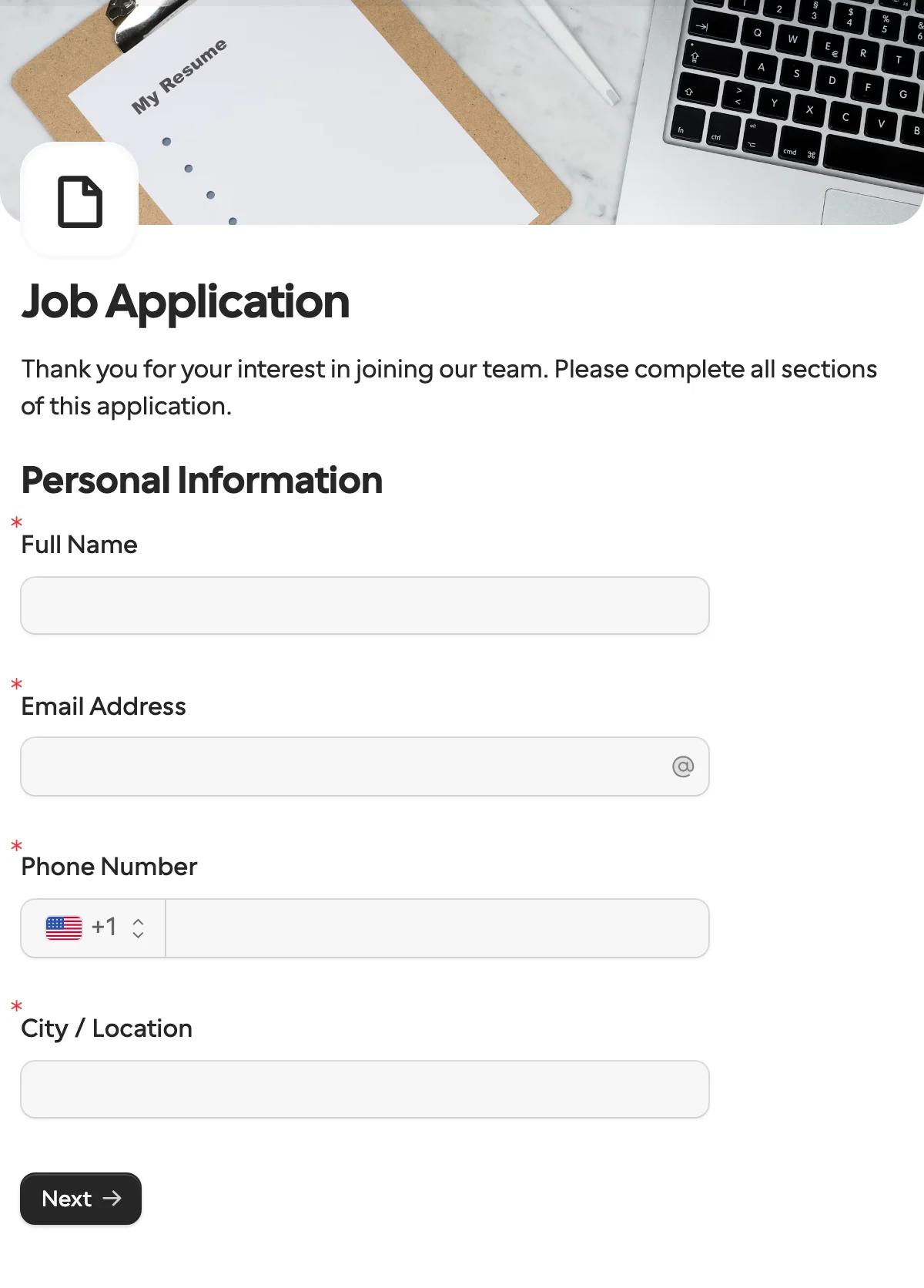
A job application form collects candidate details, experience and a resume through one public link any number of people can fill in, with questions that follow the employment type they choose.
Updated
Opens in the editor. No account needed to try it.
What it asks
| Question |
|---|
| Full Name |
| Email Address |
| Phone Number |
| City / Location |
| Position Applied For |
| Years of Relevant Experience |
| Highest Education Level |
| Employment Type Preferred |
| Desired Hourly Rate ($) (shown for some employment types) |
| Internship Duration (shown for internships) |
| Work Arrangement Preference |
| LinkedIn Profile |
| Portfolio / Website (optional) (optional) |
| Resume / CV (file upload) |
| Why are you interested in this role? |
| Earliest Available Start Date |
This one is a public form
The request templates here go to one known person. A job application is the opposite, so you use a share link instead of a request. Logic, file uploads and translations work the same way.
How to use it
- Select Use this template, and adjust the questions for the role.
- Publish it, and post the share link or embed the form on your careers page.
- Send each application to Slack, Notion, Airtable or Google Sheets with an integration, or read them in the dashboard.
What to change
- The role. Position Applied For is a text question. Make it a dropdown with one option per open role, so applications sort themselves, or make one share link per role and drop the question.
- The follow-ups. The desired rate shows for some employment types and the internship duration for internships. Change the types, or add a question that only a remote applicant sees.
- The resume. Limit the upload to PDF and Word files, and set the size you will accept. Add a second upload for a cover letter or a portfolio file.
- What you may ask. Years of experience and education are fine most places. Drop anything your jurisdiction does not allow at application time.
Where the applications go
Each submission comes back under keys derived from the titles, such as position_applied_for, years_of_relevant_experience and resume_cv, which become the columns in Google Sheets or the properties in Notion. Change a key in the Keys table before the first publish if you want shorter names. Every share link can have its own expiry and response limit, so a job board gets its own link and you see where candidates come from.
After the application
The candidate is now one known person, which is what the other templates are for. Send a shortlisted candidate the document collection form for references or an ID copy, with their name in the request. For the offer, the approval template with its labels reworded gives you an accept, a decline or a counter, signed on accept. Once they say yes, the employee onboarding form collects what payroll needs before the first day.
Hiring in more than one country? One form can run in several languages, on the same public link.
More templates
- Vendor onboardingCompany, tax and bank details, a registration document and a signature.
- Client intake and onboardingContact and billing details, terms and a signature from a new client.
- Document collectionAsk one person for files, with your own paperwork attached.
- ApprovalApprove, decline or request changes, signed on approval.
- Payment requestShow an invoice number and amount, then take the payment.
- Invoice verificationHave a supplier check what your AI read from their invoice.
- Employee onboardingPersonal details, emergency contact and preferences from a new hire.
- Contact formName, email and a message, from anyone on your site.
- Lead generationA demo request with company details, straight into your CRM.
- Appointment bookingPick a service and a time from your live calendar, in one form.
- Support requestA ticket with category, priority, description and a file.
- Event registrationAttendee details and dietary requirements, from anyone with the link.
- RSVPA yes or a no, with a meal choice for every guest they bring.
- Quick feedbackA five-star rating and an optional comment, done in ten seconds.
- NPS surveyThe 0 to 10 question, the reason, and what could be better.
Questions about this template
Something else on your mind? The docs cover every setting, and we answer email.
Yes. Every published form gets a share link, and you can embed the form, open it as a popup or print a QR code.
Yes. One form can have several share links, each with its own expiry and response limit, which helps you compare where candidates come from.
Contact details, the position, relevant experience, a resume upload, availability, and why they want the role. This template adds follow-up questions that depend on the employment type.
