

Employee onboarding form template
An employee onboarding form, or new hire form, collects what you need before someone's first day: their details, an emergency contact and a few preferences, with no HR system login.
Updated
Opens in the editor. No account needed to try it.
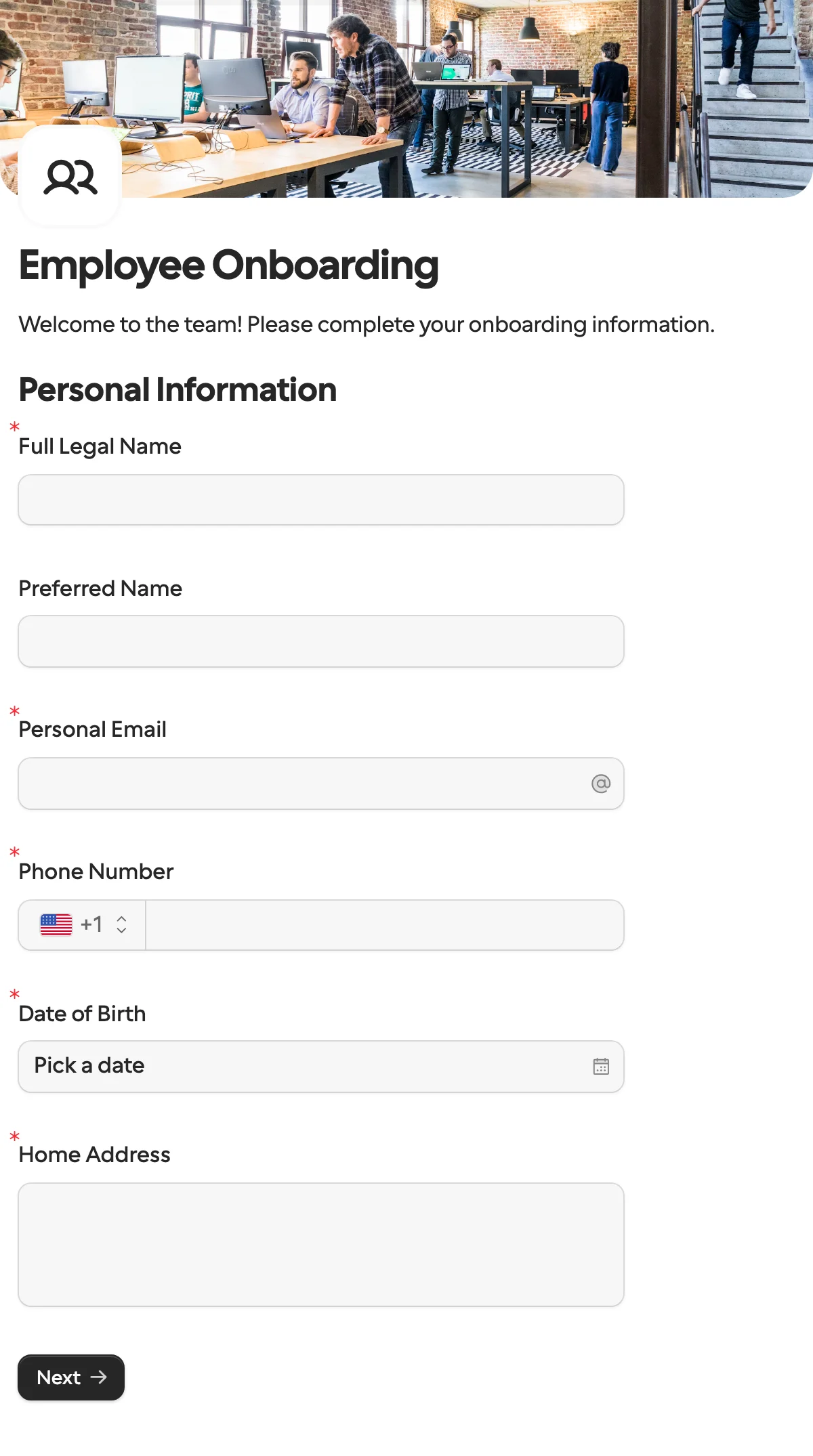
What it asks
| Question |
|---|
| Full Legal Name |
| Preferred Name (optional) |
| Personal Email |
| Phone Number |
| Date of Birth |
| Home Address |
| Emergency Contact Name |
| Emergency Contact Phone |
| Relationship |
| T-Shirt Size |
| Dietary Restrictions (optional) |
| Anything else we should know? (optional) |
How to use it
- Select Use this template, and add what your payroll and contracts need. Questions on tax or bank details work the same way as those in the vendor onboarding template.
- Publish it, and create a request with the new hire’s name and email filled in.
- If people join in other countries, translate the form once, and each person sees their own language.
- Read the answers on the Requests page, or send them to Google Sheets, Airtable or Notion with an integration.
To send it the moment someone joins, with the accounts they need posted to IT in Slack, and an offboarding form for leavers, use the Zapier or n8n workflow template.
The keys
This template sets no field keys of its own, so each question’s key comes from its title: Full Legal Name is full_legal_name, Personal Email is personal_email, Emergency Contact Phone is emergency_contact_phone. Change them in the Keys table before the first publish if your HR system wants other names. After that they stay put when you retitle a question.
What to change
- What payroll needs. Add a tax number, a bank account and a start date, the way the vendor onboarding template asks for them, and make them required.
- Paperwork. A Documents question carries the contract or the handbook for the new hire to read, and a signature question records that they did. A file upload takes a copy of their ID.
- Preferences. T-shirt size and dietary restrictions are the easy part. Drop them, or add a work setup question for IT.
- Only what you may ask. Date of birth and home address are personal data. Keep what your country and your contract need, and nothing more.
Send it from a workflow
The HR system knows the name and the personal email from the offer. Prefill both and let the new hire fill in the rest. Your employee id goes in metadata, since the form has no hidden field for it, and comes back in the callback the same way.
{
  "method": "requests.create",
  "params": {
    "formId": "j57...",
    "recipient": { "email": "ada@example.com", "name": "Ada Lovelace" },
    "prefill": { "full_legal_name": "Ada Lovelace", "personal_email": "ada@example.com" },
    "metadata": { "employeeId": "E-2041" },
    "delivery": "email",
    "externalId": "E-2041",
    "callbackUrl": "https://automation.example/webhook/E-2041"
  }
}
The answers come back under the keys above, with date_of_birth as YYYY-MM-DD. The Zapier and n8n workflow templates send this request from a new row in your people sheet, and post the access checklist to IT in Slack.
When another template fits
- Job application for the stage before: a public link anyone can apply through.
- Document collection when all you need from the new hire is a set of files.
- Vendor onboarding for a contractor who invoices you rather than joins payroll.
More templates
- Vendor onboardingCompany, tax and bank details, a registration document and a signature.
- Client intake and onboardingContact and billing details, terms and a signature from a new client.
- Document collectionAsk one person for files, with your own paperwork attached.
- ApprovalApprove, decline or request changes, signed on approval.
- Payment requestShow an invoice number and amount, then take the payment.
- Invoice verificationHave a supplier check what your AI read from their invoice.
- Job applicationCandidate details, experience, resume and availability.
- Contact formName, email and a message, from anyone on your site.
- Lead generationA demo request with company details, straight into your CRM.
- Appointment bookingPick a service and a time from your live calendar, in one form.
- Support requestA ticket with category, priority, description and a file.
- Event registrationAttendee details and dietary requirements, from anyone with the link.
- RSVPA yes or a no, with a meal choice for every guest they bring.
- Quick feedbackA five-star rating and an optional comment, done in ten seconds.
- NPS surveyThe 0 to 10 question, the reason, and what could be better.
Questions about this template
Something else on your mind? The docs cover every setting, and we answer email.
Legal name, contact details, date of birth, home address and an emergency contact are the usual core. Add what your country and payroll require, such as a tax number or bank account.
Yes. Add a Documents question for a contract or handbook, a file upload for an ID copy, and a signature question.
There is no Word file to download. The new hire fills it in online, and you can download their submission as a PDF.
