

NPS survey template
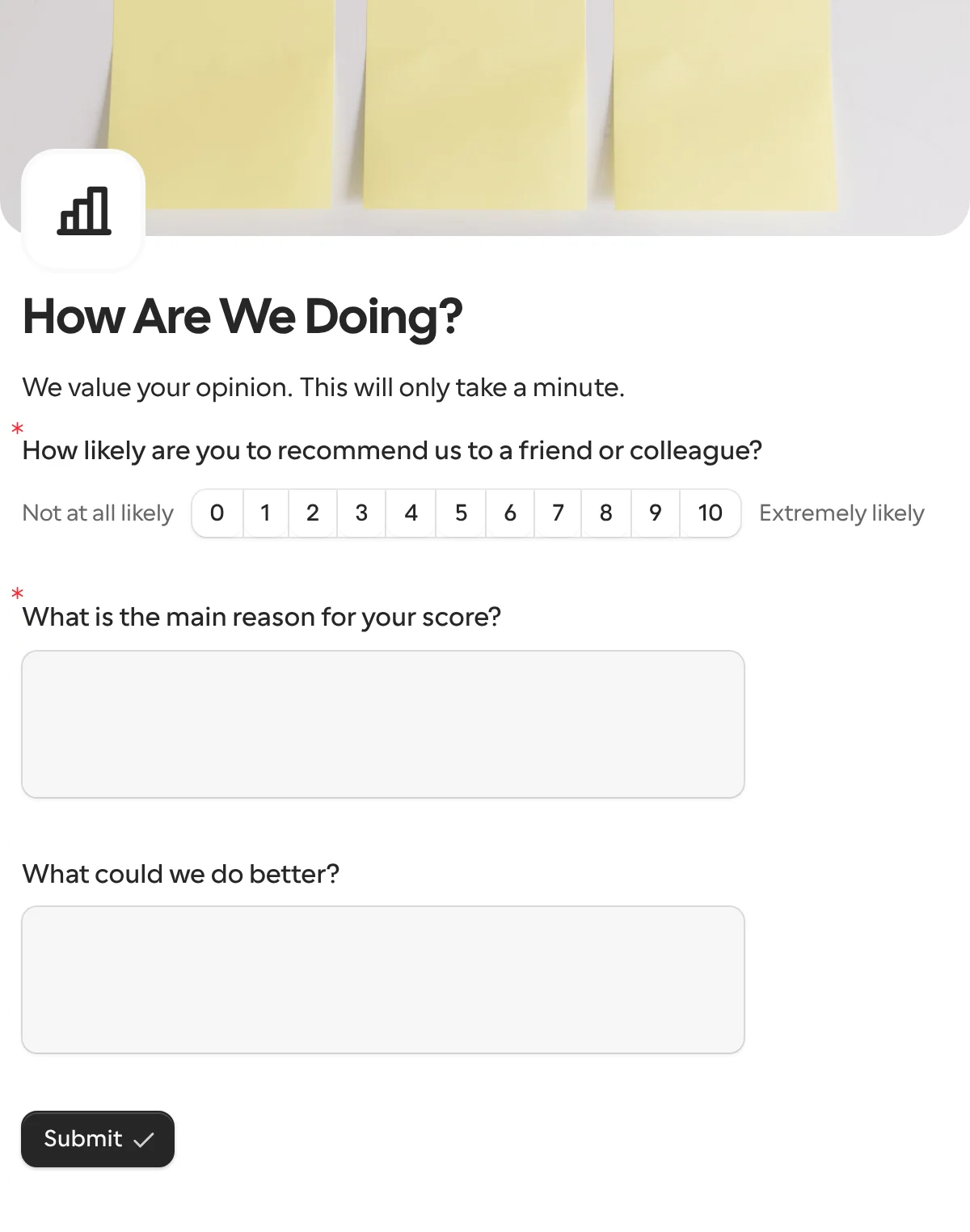
An NPS survey asks the one question the score is built on, how likely are you to recommend us, on a 0 to 10 scale, then why. Send it to every customer at once with their account filled in, or put it on a link, and read the promoters, passives and detractors in the summary.
Updated
Opens in the editor. No account needed to try it.
What it asks
| Question |
|---|
| How likely are you to recommend us to a friend or colleague? (0 to 10, from Not at all likely to Extremely likely) |
| What is the main reason for your score? |
| What could we do better? (optional) |
One link, or one request per customer
The request templates here go to one known person; an NPS survey goes to many at once. Both work. A share link in your newsletter reaches everyone; a bulk send gives each customer their own link, with their name and account filled in, a reminder for those who have not answered, and the account id back with the score.
How to use it
- Select Use this template. Keep the wording of the first question; the score is only comparable to benchmarks if the question is the standard one.
- Publish it. Put the share link in your email, or send it to a list from New request with each customer’s account filled in.
- Send each answer to Google Sheets for the score over time, and the low ones to Slack or Linear for someone to follow up.
What to change
- The follow-ups. The reason is required and the improvement is optional. Use logic to ask detractors what went wrong and promoters what they would tell a friend.
- The account. Add a hidden field for the customer id. A request fills it from your CRM, a link fills it from the URL, and the score comes back attached to an account instead of an email address.
- The timing. A relational NPS goes out on a schedule to everyone; a transactional one goes out after a delivery or a support case. The quick feedback template is the lighter form for the second.
- Languages. Customers in several countries get the same question in their language, and the scale stays 0 to 10 underneath.
Where the scores go
Each answer comes back under keys derived from the titles; rename them to score, reason and improvement in the Keys table before the first publish. The score is a number, so a column in a sheet, a Number property in Notion or a webhook can bucket it into promoters, passives and detractors. A request’s callback adds the customer id you sent.
When another template fits
- Quick feedback for a rating in the moment, on a QR code or a receipt.
- Approval when what you need from the customer is a decision, not an opinion.
More templates
- Vendor onboardingCompany, tax and bank details, a registration document and a signature.
- Client intake and onboardingContact and billing details, terms and a signature from a new client.
- Document collectionAsk one person for files, with your own paperwork attached.
- ApprovalApprove, decline or request changes, signed on approval.
- Payment requestShow an invoice number and amount, then take the payment.
- Invoice verificationHave a supplier check what your AI read from their invoice.
- Employee onboardingPersonal details, emergency contact and preferences from a new hire.
- Job applicationCandidate details, experience, resume and availability.
- Contact formName, email and a message, from anyone on your site.
- Lead generationA demo request with company details, straight into your CRM.
- Appointment bookingPick a service and a time from your live calendar, in one form.
- Support requestA ticket with category, priority, description and a file.
- Event registrationAttendee details and dietary requirements, from anyone with the link.
- RSVPA yes or a no, with a meal choice for every guest they bring.
- Quick feedbackA five-star rating and an optional comment, done in ten seconds.
Questions about this template
Something else on your mind? The docs cover every setting, and we answer email.
Paste or upload the list in the New request sheet, on Pro and Business, and each customer gets their own link, with their name or account filled in and locked. On any plan, share one link in your own email tool.
The question summary shows the distribution of the 0 to 10 scale on every plan. Promoters are 9 and 10, detractors 0 to 6, and the score is the percentage of promoters minus the percentage of detractors; a sheet or a webhook gets each score as a number if you want to track it over time.
Yes. With logic, show What could we do better? only from 0 to 6 and ask what they liked most from 9 to 10. The score question stays the same for everyone, which is what makes it comparable.
The recommend question, worded as the standard has it, and one open question for the reason. Everything else lowers the number of answers, and the reason is where the useful part is.
