

Quick feedback form template
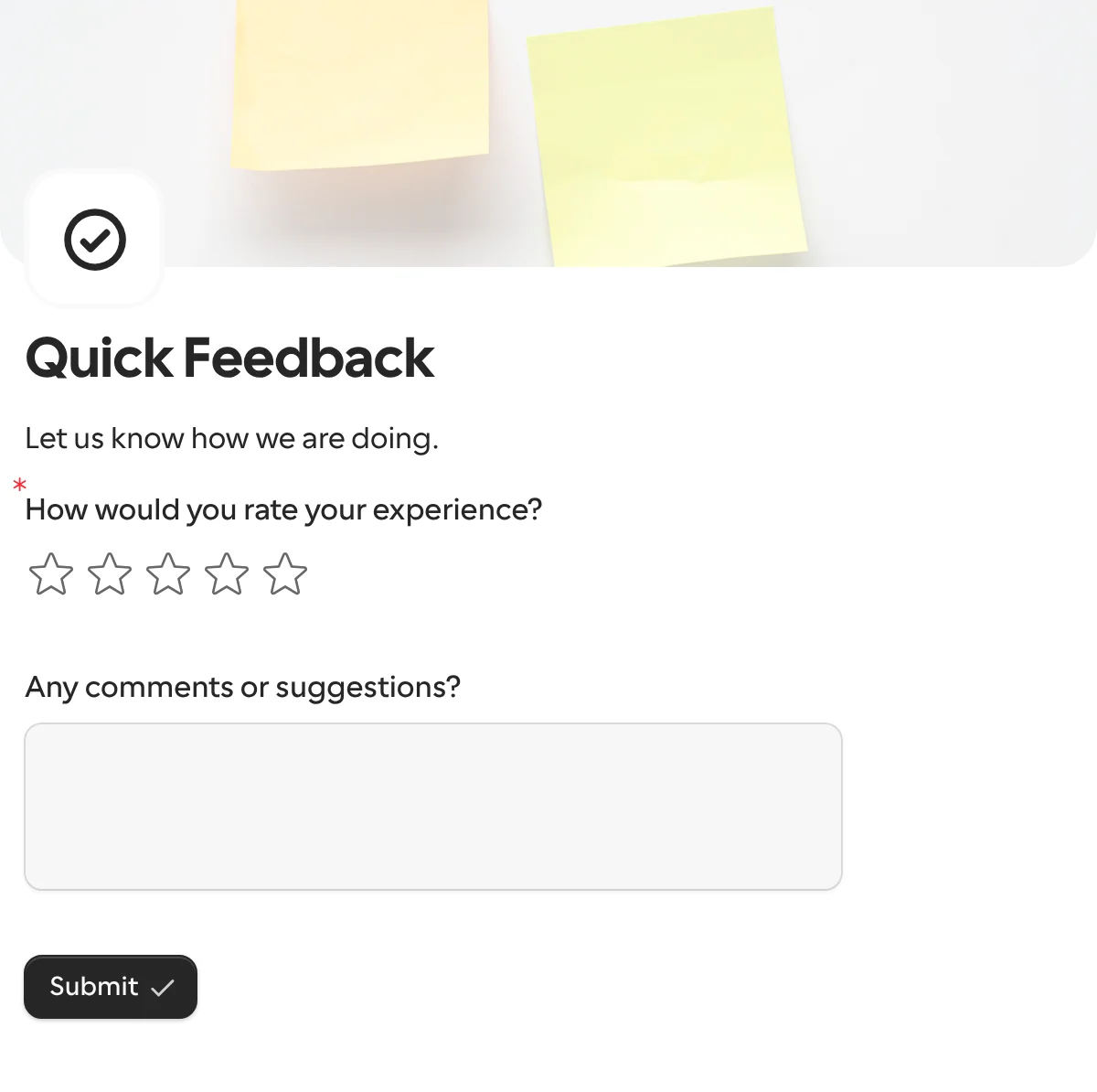
A quick feedback form asks one question people will answer: how was it, on five stars. The comment box is optional, so the rating still arrives when they are in a hurry. Put it on a QR code at the counter, in the confirmation email or at the end of a call.
Updated
Opens in the editor. No account needed to try it.
What it asks
| Question |
|---|
| How would you rate your experience? (five stars) |
| Any comments or suggestions? (optional) |
This one is a public form
The request templates here go to one known person. Quick feedback is for everyone who was just served, so you share its link or its QR code instead of sending requests. To ask one specific customer after a delivery, send the same form as a request with the order number filled in.
How to use it
- Select Use this template, and change the heading to the moment it is about: the visit, the order, the call.
- Publish it. Download the share link’s QR code for print, or paste the link into the confirmation email.
- Send each answer to Slack, so a one-star rating is seen while the customer is still reachable, and to Google Sheets for the trend.
What to change
- The scale. Five stars is the most answered scale there is. The rating question turns into a 0 to 10 scale if you need an NPS; the NPS survey template has that ready.
- One follow-up at most. Show the comment box only below four stars with logic, and ask what went well above it. More than one follow-up and the answer rate drops.
- Where it happened. Add a hidden field for the location, the agent or the order number and set it from the link, so the rating has a subject.
- Languages. A form on a counter in a tourist town gets one form in several languages, and follows the phone’s language.
Where the answers go
Each answer comes back under keys derived from the titles, how_would_you_rate_your_experience as a number and any_comments_or_suggestions as text. Change the keys to rating and comment in the Keys table before the first publish. A webhook can open a ticket in Linear for anything below three stars.
When another template fits
- NPS survey when you want the standard 0 to 10 question and a reason, on a schedule rather than in the moment.
- Support request when the feedback is a problem that needs solving, with a priority and a file.
More templates
- Vendor onboardingCompany, tax and bank details, a registration document and a signature.
- Client intake and onboardingContact and billing details, terms and a signature from a new client.
- Document collectionAsk one person for files, with your own paperwork attached.
- ApprovalApprove, decline or request changes, signed on approval.
- Payment requestShow an invoice number and amount, then take the payment.
- Invoice verificationHave a supplier check what your AI read from their invoice.
- Employee onboardingPersonal details, emergency contact and preferences from a new hire.
- Job applicationCandidate details, experience, resume and availability.
- Contact formName, email and a message, from anyone on your site.
- Lead generationA demo request with company details, straight into your CRM.
- Appointment bookingPick a service and a time from your live calendar, in one form.
- Support requestA ticket with category, priority, description and a file.
- Event registrationAttendee details and dietary requirements, from anyone with the link.
- RSVPA yes or a no, with a meal choice for every guest they bring.
- NPS surveyThe 0 to 10 question, the reason, and what could be better.
Questions about this template
Something else on your mind? The docs cover every setting, and we answer email.
Yes. Every share link has a QR code to download. Print it on the receipt, the table or the packaging, and the form opens on the phone in your branding.
Yes. Add a hidden field for the location or the order number and set it from the link, or make one share link per location. Both come back with the answer.
The question summary in the dashboard shows the distribution and the average of a rating question, on every plan. Google Sheets gets each rating as a number for your own charts.
One rating and an optional comment. That is the whole point: people answer a ten-second form at the moment it happened and skip a five-minute survey later.
