

Lead generation form template
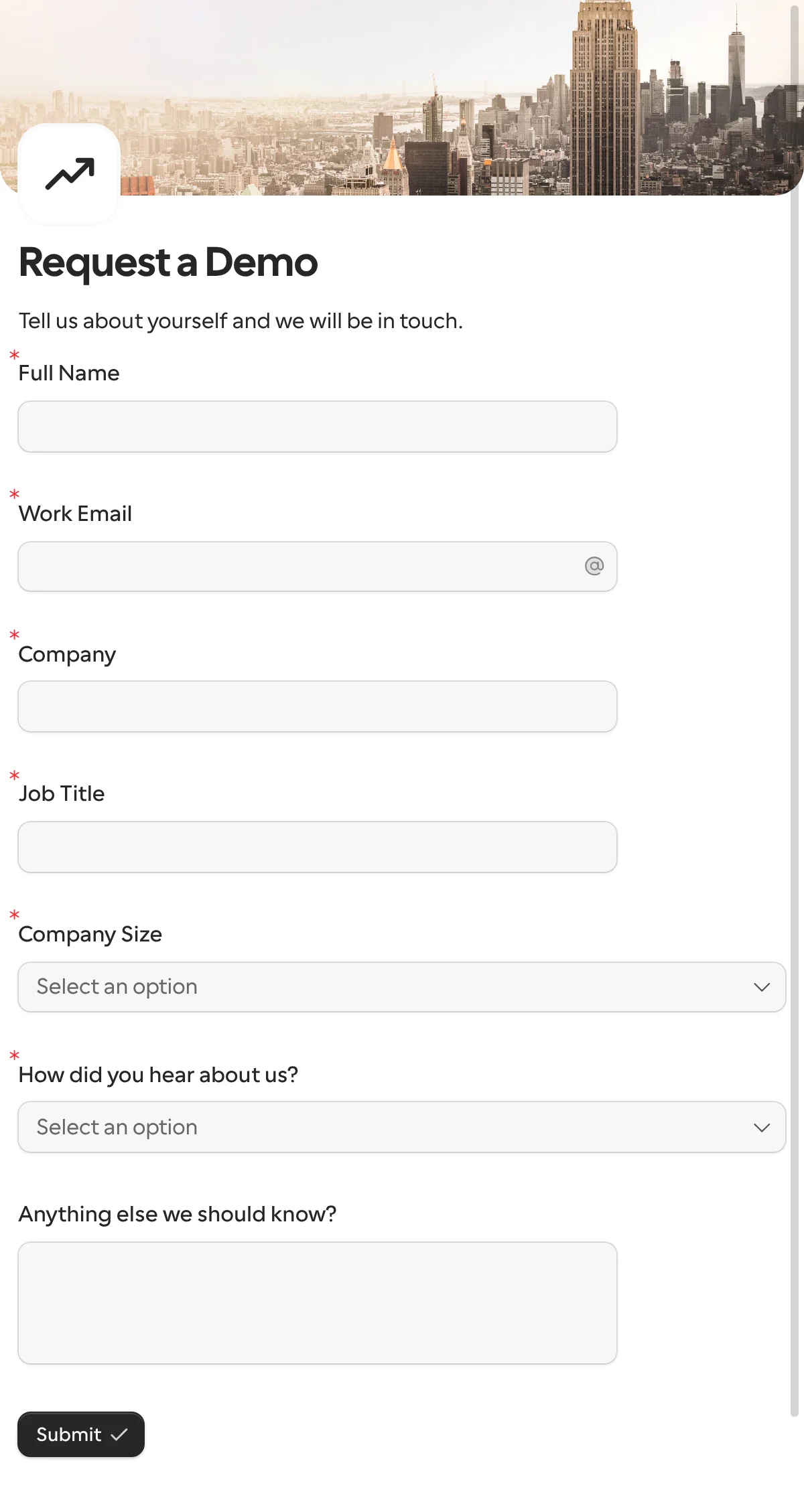
A lead generation form, here a demo request, collects who the person is, which company they work for and how they found you, through one public link or an embed. Each lead goes to your CRM, your channel or your sheet the moment it arrives.
Updated
Opens in the editor. No account needed to try it.
What it asks
| Question |
|---|
| Full Name |
| Work Email |
| Company |
| Job Title |
| Company Size (1–10 to 1,000+) |
| How did you hear about us? |
| Anything else we should know? (optional) |
This one is a public form
The request templates here go to one known person. A demo request is the opposite: a prospect you have never met finds it on your pricing page, so you use a share link or an embed instead of a request.
How to use it
- Select Use this template, and reword the heading for what you offer: a demo, a quote, a trial.
- Publish it, and embed the form on your site or open it from the Request a demo button as a popup.
- Connect HubSpot, so each lead becomes a contact, and Slack, so sales hears about it in the moment.
What to change
- Qualify, do not interrogate. Company Size and How did you hear about us? are the two questions that sort leads. Replace them with the one thing your sales team asks first, such as the use case or the budget, and drop the rest.
- The campaign. Add a hidden field named
campaign, seed it from the URL on each ad or email, and it comes back with the lead. Or give each campaign its own share link, with its own expiry and response limit. - The follow-up. Edit the thank-you page to say what happens next, or redirect to a booking page. With the Cal.com question, the prospect books the demo inside the form, and you skip a round of emails.
- Languages. Sell in two markets with one form: translate the labels and the form follows the visitor’s language.
Where the leads go
Each lead comes back under keys derived from the titles, such as full_name, work_email, company and company_size, which become the columns in Google Sheets or the properties of a HubSpot contact. Change a key in the Keys table before the first publish if you want shorter names. A webhook sends each lead to your own code, keyed the same way.
After the lead
The prospect is now one known person, which is what the request templates are for. When they say yes, the client onboarding form collects their details and a signature with what you already know filled in, and the approval template, reworded, takes an accept or a counter on the proposal.
More templates
- Vendor onboardingCompany, tax and bank details, a registration document and a signature.
- Client intake and onboardingContact and billing details, terms and a signature from a new client.
- Document collectionAsk one person for files, with your own paperwork attached.
- ApprovalApprove, decline or request changes, signed on approval.
- Payment requestShow an invoice number and amount, then take the payment.
- Invoice verificationHave a supplier check what your AI read from their invoice.
- Employee onboardingPersonal details, emergency contact and preferences from a new hire.
- Job applicationCandidate details, experience, resume and availability.
- Contact formName, email and a message, from anyone on your site.
- Appointment bookingPick a service and a time from your live calendar, in one form.
- Support requestA ticket with category, priority, description and a file.
- Event registrationAttendee details and dietary requirements, from anyone with the link.
- RSVPA yes or a no, with a meal choice for every guest they bring.
- Quick feedbackA five-star rating and an optional comment, done in ten seconds.
- NPS surveyThe 0 to 10 question, the reason, and what could be better.
Questions about this template
Something else on your mind? The docs cover every setting, and we answer email.
Yes. The HubSpot integration updates the contact with that email, or creates it, writing only the properties you mapped. Google Sheets, Airtable, Notion and a webhook are the other routes.
Give each campaign its own share link, so the link tells you, or add a hidden field for the campaign and seed it from the URL. Both come back with the answers.
Only if you will call. Every question you add lowers the number of people who finish. This template asks seven, and the last one is optional.
A way to reach the person, their company and something that tells you how to qualify them, such as company size. Ask how they heard of you if you spend on more than one channel.
